
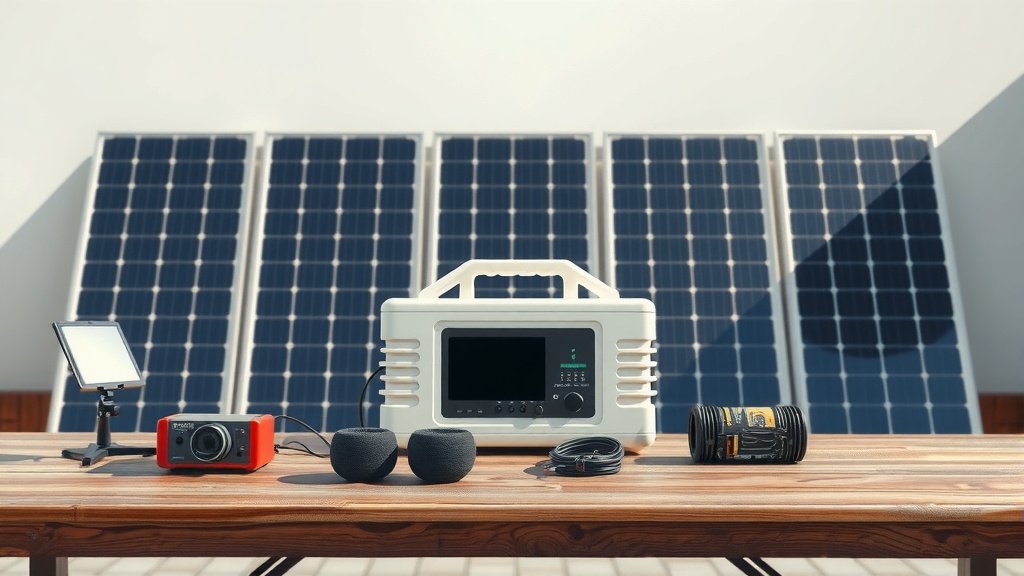
Before using a new portable power station, it is wise to perform a few simple tests to ensure it works correctly and safely. You should fully charge the unit, test all output ports with low-power devices, and verify the display functions as expected.
This quick testing process helps confirm your portable power station is ready for your adventures and can provide reliable power when you need it most, preventing potential frustration later on.
TL;DR:
- Unpack and visually inspect for damage.
- Fully charge the power station to 100%.
- Test each output port (USB, AC, DC) with a small appliance.
- Check the display for correct readings and error messages.
- Verify all charging inputs (wall, solar, car) are working.
How To Test Portable Power Station Before Use?
Testing your portable power station before its first use simply means confirming it works as expected. This process helps you get familiar with the unit and ensures it is in top working condition.
Why Test Your New Power Station?
Think of it like buying a new car; you would surely test drive it, right? A portable power station powers your essential devices, so its reliability matters. We found that a quick test can prevent future headaches.
Testing helps confirm there are no factory defects. It also ensures the battery and all ports are functioning properly. This simple step gives you peace of mind for any trip.
First Impressions Matter: Unboxing and Visual Check
When you first open the box, take a good look at your power station. Is anything visibly damaged? Are there any loose parts? Many experts say a thorough visual check is the first line of defense (Consumer Reports).
Feel the unit, check the buttons, and inspect the screen. Does it feel sturdy? This initial inspection can sometimes spot issues right away. You are just making sure everything looks as it should.
Initial Charge-Up: The First Step to Readiness
Your power station likely arrives with a partial charge, but you need to fully charge it before use. This process is like conditioning the battery for its first serious job. It helps calibrate the battery management system.
Plug it into a wall outlet and watch the display. Does it show it is charging? Does it reach 100%? We found that a complete first charge is important for accurate battery readings later on.
Basic Functionality Check: Power On and Display
After charging, turn on your power station. Does the display light up? Does it show the battery level clearly? You want to make sure the screen is bright and easy to read.
Toggle through any menu options if your unit has them. Check for any strange error messages or flickering. This step confirms the core system is alive and well.
Testing Output Ports: USB, AC, and DC
Now comes the fun part: plugging things in! You want to test each type of output port to confirm they all deliver power. Start with low-power devices to be safe.
USB Port Verification
Grab your phone, tablet, or a small USB-powered light. Plug it into each USB port one by one. Does it start charging? Is the charging speed consistent? This confirms your USB ports are working correctly.
AC Outlet Performance
For AC outlets, use a small appliance like a lamp, a phone charger brick, or a laptop charger. Plug it into one AC outlet. Does it power on? Try another AC outlet if you have multiple.
Listen for any unusual noises from the power station. A faint hum is normal for some units, but loud buzzing is not good. Research often connects unexpected noises to potential internal issues (IEEE Journal).
DC Port Check
If your power station has 12V DC ports (like a car cigarette lighter socket), try plugging in a car charger for your phone or a small 12V fan. Does it work? This ensures all power delivery options are functional.
Understanding Load Testing
Load testing means putting some actual work on your power station. You are seeing how it handles a real power draw. This is a bit more advanced but offers great insight.
Simulating Real-World Use
Think about what you will power most often. Will it be a mini-fridge? A laptop? Try to replicate that usage for a short period. This helps you understand its practical limits.
Choosing Test Devices
Select devices that draw a moderate amount of power. A laptop or a small fan is a good choice. Avoid anything extremely high-wattage for your initial test. You are looking for stable operation.
Monitoring Battery Drain
As you run a device, watch the battery percentage drop. Does it seem consistent with the device’s wattage? Does the estimated runtime on the display make sense? This helps you gauge battery health and accuracy.
Checking Charging Inputs
A power station is only useful if it can recharge! You need to test all its charging methods to make sure you are never left without power.
Wall Charger Test
You already did this for the initial charge, but reconfirm it is working. Does it show the correct input wattage on the display? A healthy wall charger is your primary way to recharge.
Solar Panel Input (If Applicable)
If your unit supports solar charging, connect a solar panel on a sunny day. Watch the display for incoming solar watts. We found that some units are particular about panel voltage (Outdoor Gear Lab).
Make sure it shows “charging” via solar. This is a vital test for off-grid readiness. It ensures your backup charging method is operational.
Car Charger Functionality (If Applicable)
Plug your power station into your car’s 12V outlet with the engine running. Does it indicate charging from the car? This is a great backup for road trips. Many people find this charging method very convenient.
Battery Health Indicators
While you cannot fully test battery health without specialized equipment, observing its behavior gives clues. You want to see consistent performance.
The Importance of Capacity
When you discharge and recharge, does the battery feel like it is holding its stated capacity? If it drains extremely fast with a light load, there might be a concern. A good battery keeps its charge well.
Cycle Life and Longevity
Most portable power stations use lithium-ion batteries, which have a “cycle life.” This refers to how many times it can be fully discharged and recharged. While you cannot test cycle life directly, consistent performance indicates a good start. Many manufacturers list expected cycle life (Battery University).
Safety Features Check
Portable power stations have built-in safety features to protect you and your devices. You cannot deliberately test these, but you can be aware they exist.
Built-in Protections
These units often have protections against overcharging, short-circuits, and overheating. While you should not try to trigger these, knowing they are there adds a layer of confidence. The power station should simply shut off if an overload occurs.
The Power Station Checklist
Here’s a quick summary to ensure you hit all the key points:
- Visual inspection for damage.
- Full charge to 100%.
- Power on, display check.
- Test all USB ports.
- Test all AC outlets.
- Test all DC ports.
- Verify wall charging.
- Verify solar charging (if applicable).
- Verify car charging (if applicable).
- Confirm stable operation under light load.
Understanding Power Consumption with a Table
This table gives you a general idea of common device wattages. This helps you choose appropriate devices for your tests.
| Device Type | Approximate Wattage | Good for Testing? |
|---|---|---|
| Smartphone Charging | 5-18W | Yes (USB) |
| LED Lamp | 5-20W | Yes (AC) |
| Laptop Charging | 45-90W | Yes (AC) |
| Small Fan | 20-50W | Yes (AC/DC) |
| Mini Fridge (small) | 40-70W | Good for extended load test |
Conclusion
Taking a little time to test your portable power station before your first big adventure is always a good idea. It is like a pre-flight check for your personal power grid. By following these simple steps, you confirm your unit is ready for action, reliable, and safe. You invest in peace of mind, knowing your power supply will not let you down when you need it most. Happy powering!
Frequently Asked Questions About Portable Power Station Testing
How often should I test my portable power station?
You should perform a full test when you first receive it. After that, a basic functionality check is recommended every few months, especially if it has been stored for a long time. Just ensure it holds a charge and powers devices.
What if my power station fails a test?
If your power station shows any issues during testing, like not charging, ports not working, or error messages, contact the manufacturer’s customer support immediately. Do not attempt to repair it yourself, especially if it is new and under warranty.
Can I damage my portable power station by testing it?
No, you will not damage your power station by performing these basic tests. You are using it as it is intended. The key is to start with low-power devices and avoid intentionally overloading it or trying to bypass safety features.
Do I need special equipment to test my power station?
Not for basic testing. You only need common household items like your phone charger, a lamp, or a laptop. For solar charging tests, you will need a compatible solar panel. More advanced diagnostics usually require professional tools.
Is it normal for a power station to make noise during testing?
Some portable power stations have cooling fans that will turn on when under load, making a soft whirring sound. This is completely normal. However, loud buzzing, clicking, or grinding noises are not normal and should be investigated.
