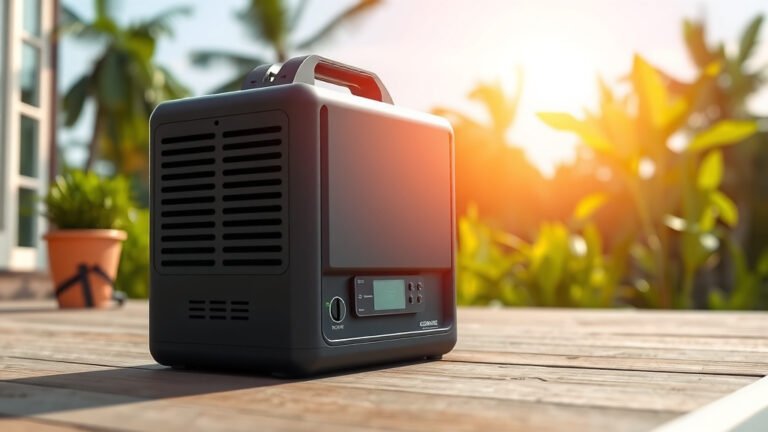

Your camping power station is beeping because it’s trying to tell you something important about its status or an issue. Often, a beep means a low battery, overload, or temperature warning, protecting itself and your gear.
That annoying beep is actually a helpful alarm system. It alerts you to situations that could harm the unit or interrupt your power supply. Understanding these alerts can help you diagnose and fix problems quickly, keeping your outdoor adventures powered up.
- Beeping signals a problem or warning.
- Common reasons include low battery, overload, or overheating.
- It’s the power station’s way of protecting itself.
- Ignoring beeps can lead to damage or power loss.
- Knowing the cause helps you troubleshoot effectively.
Let’s walk through the most common reasons your camping power station might be beeping and what you can do about it. You’ll learn how to quickly understand and address these signals.
Unpacking Your Power Station’s Beeps
Your camping power station uses beeps like a language. Each sound or pattern tells you something specific about its condition. Understanding these signals can save your trip and your gear.
Low Battery Warnings
One of the most common beeps you’ll hear signals a low battery. This is your power station’s way of saying, “Hey, I’m running out of juice!” It usually means the internal battery is reaching a critical discharge level. This helps prevent deep discharge, which can damage the battery over time.
What a Low Battery Beep Sounds Like
Typically, a low battery warning is a slow, intermittent beep. It might be accompanied by a blinking battery icon on the display. This is a gentle reminder, not an emergency alarm, giving you time to react.
Your Action Plan for Low Battery Beeps
- Charge it up: The most obvious solution is to plug your power station into a power source as soon as possible. Use a wall outlet, a car charger, or solar panels.
- Conserve power: If charging isn’t immediately an option, unplug non-essential devices. Only power what you absolutely need.
- Check your display: Look for the exact battery percentage on your unit’s screen. This helps you gauge how much time you have left.
Overload Protection Beeps
Ever tried to run a hairdryer and a coffee maker off a small power station at the same time? You might have heard an overload beep. This sound means you’re asking for more power than the unit can safely provide. It’s a critical safety feature to prevent damage to the power station and your connected devices.
Understanding Overload Signals
Overload beeps are often loud and continuous, or a rapid series of short beeps. The power station might also shut down completely to protect itself. You’ll likely see an “OVERLOAD” or “AC OVERLOAD” message on the display.
Fixing an Overload
When you hear an overload beep, act quickly:
- Unplug devices: Immediately disconnect one or more of the high-power appliances you have plugged in.
- Calculate your wattage: Check the wattage requirements of your devices. Compare this to your power station’s continuous wattage output. This information is usually found in your user manual or on the power station’s specifications sticker.
- Restart the unit: After unplugging devices, turn the power station off and then back on. This resets the system.
Remember, exceeding the rated output can shorten the lifespan of your power station. It’s better to be a little under the limit than over.
Temperature Warnings: Too Hot or Too Cold
Extreme temperatures can stress your power station’s components. Modern units have sensors to detect when they are getting too hot or too cold. Beeping in these scenarios is a protective measure.
Overheating Alerts
Camping in direct sun or a hot tent can cause your unit to overheat. An overheating beep might be a steady, high-pitched tone, often paired with a fan running at maximum speed. The display might show a temperature warning icon.
Addressing Overheating
- Move to shade: Relocate your power station to a cooler, shaded area.
- Improve airflow: Ensure the unit’s vents aren’t blocked. Give it space to breathe.
- Unplug devices: Reduce the load on the power station, especially AC appliances, as these generate more heat.
Low Temperature Alerts
While less common, some power stations will beep if they get too cold. This is particularly true for units with advanced battery chemistries like LiFePO4, which shouldn’t be charged below freezing (University of Michigan).
What to do for Cold Weather Beeps
- Bring it inside: Move the power station to a warmer environment.
- Allow it to acclimate: Let it sit at room temperature for a while before attempting to charge or use it heavily.
System Error or Fault Beeps
Sometimes, your power station might beep because of an internal system error or fault. This is less common but can happen. These beeps often indicate a more serious issue that might require professional attention.
Identifying a System Fault
A system error beep can be random, irregular, or a distinct code (like multiple short beeps followed by a pause). The display might show an error code (e.g., “E01,” “FAN ERROR”) or a wrench icon. These aren’t always intuitive, so checking your manual is key.
Troubleshooting a System Error
- Consult the manual: This is your best friend. Look up the specific error code or beep pattern in your power station’s user guide. It will usually have a troubleshooting section.
- Restart the unit: A simple power cycle can sometimes clear minor glitches.
- Contact customer support: If the error persists after checking your manual and restarting, it’s time to reach out to the manufacturer. They can guide you through more advanced troubleshooting or arrange for repairs.
Why Your Power Station Beeps (Quick Checklist)
Not sure why your power station is yelling at you? Here’s a quick checklist to narrow it down:
- Is the battery level low? (Often a slow, intermittent beep)
- Are too many devices plugged in, exceeding the wattage limit? (Loud, continuous beep)
- Is the unit too hot or too cold? (Varying tones, sometimes fan speed increases)
- Is there a loose connection or damaged cable? (Less common, but can trigger errors)
- Has the unit been dropped or exposed to water? (Could indicate internal damage)
- Is there an error code on the display? (Check your manual for specific codes)
Understanding Your Power Station’s Display
The display screen on your power station is vital for diagnosing beeps. It provides visual cues that complement the auditory alerts. Always check it when you hear a beep.
| Display Indicator | What it Means | Common Beep Association |
|---|---|---|
| Battery Icon (Red/Flashing) | Low battery capacity | Slow, intermittent beep |
| “OVERLOAD” / Wattage Exceeded | Too much power draw | Continuous, loud beep |
| Thermometer Icon / “TEMP” | Unit is too hot or too cold | Steady tone or rapid beeps |
| Error Code (e.g., E01, E10) | Internal system fault | Varies, check manual |
| Fan Speed Increase | Often indicates cooling down, sometimes overheating | Can accompany overheating beeps |
You can see how useful your power station’s display is. It acts as a dashboard, giving you immediate feedback on its health and operation. Always take a quick glance when a beep sounds off.
Conclusion
That annoying beep from your camping power station isn’t trying to ruin your trip; it’s a vital communication from your gear. By understanding whether it’s a low battery, an overload, or a temperature warning, you can quickly diagnose and address the issue. Paying attention to these signals protects your investment and ensures you stay powered up.
So, the next time your power station starts beeping, don’t just silence it. Use this guide to identify the message and take the right action. Your quick response keeps your adventures running smoothly and your devices charged.
Frequently Asked Questions
Can a dirty power station cause beeping?
Yes, sometimes. Dust and debris can block cooling vents, leading to overheating. When your power station gets too hot, it will often beep to alert you. Regularly clean your unit’s vents to prevent this.
My power station beeps but the display shows nothing. What gives?
If your power station beeps but the screen is blank, it could indicate a very low battery level or a critical internal fault. Try plugging it into a charging source first. If it still doesn’t respond, consult your user manual for troubleshooting steps or contact customer support.
Is it bad if my power station beeps often?
Frequent beeping can be a sign of an underlying issue that needs attention. It might mean you’re consistently pushing the unit to its limits or that something is degrading. It’s best to investigate each beep to prevent potential damage or premature wear.
What’s the difference between a constant beep and an intermittent one?
Generally, a constant, loud beep often signals a more urgent problem, like an overload or critical error. An intermittent or slow beep usually indicates a less immediate issue, such as a low battery warning. Always check your specific model’s manual for exact beep patterns.
My power station beeps when charging. Is that normal?
Sometimes, a power station might emit soft beeps during charging, especially if it’s balancing cells or if the internal fan activates. However, loud or continuous beeping during charging could indicate a charging fault, overheating, or a problem with the charger itself. Check your manual or contact support if you’re concerned.