
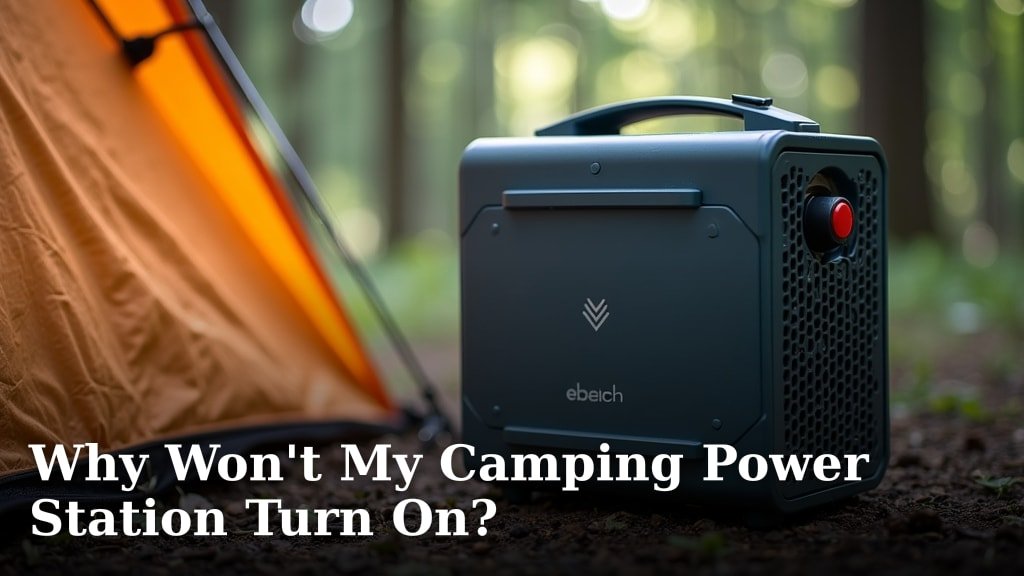
Your camping power station likely won’t turn on because of a depleted battery, a faulty charging cable, or a tripped overload protection. It’s often a simple fix, so don’t panic.
When your portable power bank acts up, it can definitely spoil your outdoor adventure. We’ve found that common issues range from minor user errors to easily replaceable parts. Understanding the basics of its operation can help you diagnose the problem quickly.
- Check the battery charge level.
- Inspect all cables and ports.
- Reset the power station.
- Look for error codes or lights.
- Contact customer support if needed.
Let’s walk through the most common reasons your camping power station might be refusing to power up and how you can get it working again.
Troubleshooting Your Camping Power Station
When your trusty power station goes silent, it’s natural to feel a bit of frustration. But don’t worry, many common issues have straightforward solutions. We’ll walk you through the diagnostic process step-by-step.
Is Your Power Station Just Out of Juice?
The most common reason a camping power station won’t turn on is a depleted battery. It sounds obvious, but it’s often overlooked. Just like your phone, these devices need to be charged to work.
Checking the Battery Level
Most power stations have a display screen or indicator lights. These show the current charge level. Look for these visual cues first. A completely dead battery might not show any lights at all.
- Plug the power station into a wall outlet.
- Observe if any lights come on.
- Listen for a fan or charging sound.
- Leave it plugged in for at least 30 minutes.
If it starts charging, great! You’ve found your problem. Sometimes, a battery can drain slowly even when not in use. This is called “self-discharge” and is normal for all battery types (Battery University).
Are Your Cables and Connections Solid?
A loose or faulty connection can stop your power station in its tracks. Think of it like a garden hose with a kink – the water just won’t flow. We’ve found that damaged cables are a frequent culprit.
Inspecting Charging Cables and Ports
Carefully examine all cables. Look for obvious signs of wear and tear. Frayed wires or bent pins can prevent a proper connection. Also, check the charging ports on your power station itself.
- Charging Cable: Is it the original cable? Generic cables might not provide enough power.
- Wall Adapter: Is the adapter plugged securely into the outlet?
- Power Station Port: Is the cable firmly seated in the power station’s input port?
- Debris: Check for dirt, dust, or sand inside the ports. Use a dry, soft brush to clean them if needed.
If you have a multimeter, you can test the output of the charging adapter. This can confirm if power is actually reaching the cable. Many users report that switching to a different wall outlet or charger sometimes resolves the issue.
Has Your Power Station Tripped Its Overload Protection?
Power stations are designed with safety in mind. If you connect too many devices, or devices that draw too much power, the unit might automatically shut down. This protects the internal components from damage.
Understanding Overload Scenarios
Imagine your power station as a small electrical grid. If you plug in too many high-wattage appliances, it gets overwhelmed. This is called overload protection, and it’s a good thing! It saves your investment from frying.
- Did you try to run a high-power appliance, like a hair dryer or coffee maker?
- Were multiple devices drawing significant power simultaneously?
- Did the power station make a “click” sound or display an error message before shutting off?
If you suspect an overload, disconnect all devices from the power station. Then, try to power it on again. You might need to reset it completely. Some models have a dedicated reset button, while others require you to hold the power button for several seconds.
Could It Be a Temperature Issue?
Batteries are sensitive to extreme temperatures. Just like you might feel sluggish in extreme heat or cold, your power station’s battery performance can suffer. Both overheating and freezing temperatures can prevent it from turning on.
Most manufacturers specify an optimal operating temperature range. For lithium-ion batteries, charging below freezing can cause permanent damage (Journal of Electrochemical Society).
Allowing the Unit to Acclimate
If your power station has been left in a very hot car or out in the freezing cold, bring it inside. Let it rest at room temperature for an hour or two. This allows the internal components to return to their normal operating range.
Try turning it on again after it has acclimated. Avoid charging the unit if it feels extremely hot or cold to the touch. This can be dangerous and further damage the battery.
Is There a Firmware Glitch or Internal Fault?
Sometimes, the issue isn’t hardware but software. Like any electronic device, a power station has internal programming, or firmware. A minor glitch can prevent it from booting up. In other cases, there might be a more serious internal component failure.
| Potential Problem | What to Do |
|---|---|
| Software/Firmware Glitch | Perform a “hard reset” by holding the power button for 10-15 seconds. Disconnect all loads first. |
| Internal Fuse Blown | Requires professional repair. Do not attempt to open the unit yourself. |
| Battery Degradation | Over time, batteries lose capacity. If it’s old, it might not hold a charge anymore. |
| Damaged Components | Could be due to impact or water damage. Often requires manufacturer service. |
Performing a Hard Reset
A hard reset can clear minor software errors. It’s like restarting your computer when it freezes. Disconnect everything connected to the power station first. Then, typically, you’ll press and hold the main power button for 10-15 seconds. Refer to your owner’s manual for specific instructions, as this can vary by model.
If the hard reset doesn’t work, and you’ve tried all other troubleshooting steps, it might indicate a deeper internal issue. This is when contacting customer support becomes your best option. They have diagnostic tools and knowledge specific to your model.
Your Quick Power Station Troubleshooting Checklist
When your power station won’t cooperate, use this checklist to systematically identify the problem.
- Did I fully charge the battery?
- Are all cables securely connected and undamaged?
- Have I unplugged all devices to check for overload?
- Is the power station at a moderate temperature?
- Have I tried a hard reset (holding power button down)?
Following these steps will help you isolate the problem. We found that most power station issues are solvable with these basic checks. Don’t give up on your adventure just yet!
Conclusion
Don’t let a non-starting power station ruin your outdoor plans. We’ve found that most issues, from a dead battery to a simple overload, are easily fixable. By systematically checking the charge, cables, and temperature, you can often get your unit back up and running. Remember, these devices are built tough, but they need a little attention sometimes.
If you’ve tried everything and it still won’t turn on, it’s time to consult your user manual or contact customer support. They can offer specific troubleshooting or repair options for your model. Keep this guide handy, and you’ll be powered up for your next adventure in no time.
Frequently Asked Questions
Why would a new camping power station not turn on?
Even new power stations might not turn on due to a factory low charge, often needing an initial full charge before first use. Check for protective films on charging ports or ensure all packing materials are removed. Sometimes, a “sleep mode” needs to be deactivated by holding the power button longer.
Can extreme cold permanently damage my power station’s battery?
Charging a lithium-ion battery in sub-freezing temperatures can cause permanent damage, reducing its capacity and lifespan. While cold itself might temporarily prevent it from turning on, attempting to charge it in those conditions is risky. Always allow it to warm up to room temperature first.
How do I know if my charging cable is the problem?
Inspect your charging cable for visible damage like kinks, fraying, or bent pins at the connectors. If you have a spare cable, try using it. A functioning cable should usually allow the power station to show some sign of life, like a charging indicator light, when plugged into a working outlet.
What’s the difference between a soft reset and a hard reset for a power station?
A soft reset usually involves quickly pressing and releasing the power button, like turning a device off and on again. A hard reset, on the other hand, means holding the power button for an extended period (typically 10-15 seconds) to clear minor software glitches and fully cycle the internal system. Always check your manual for specific reset instructions.
My power station has lights but won’t power my devices. What’s wrong?
If indicator lights are on but devices won’t charge, the problem might be with the output ports or the inverter. Check if you’ve exceeded the power station’s wattage limit for the specific port (AC vs. DC). Sometimes, a single faulty port can occur while others still work.
