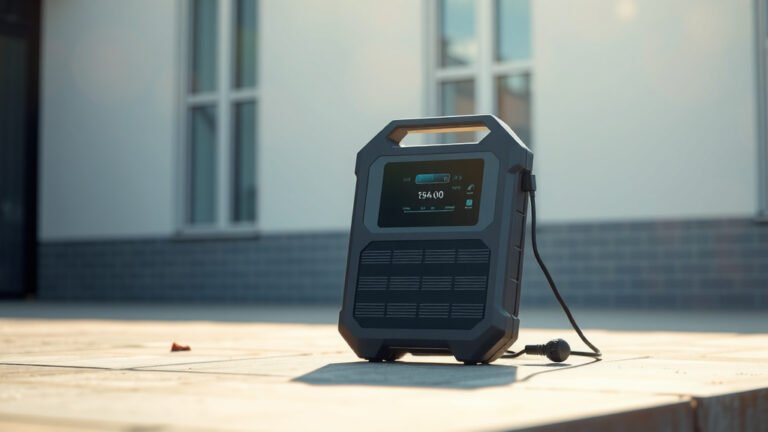
Yes, a portable power station can be used as a UPS (Uninterruptible Power Supply), but it won’t switch power instantly like a traditional UPS system.
Most portable power stations have a 10-30 millisecond transfer time when switching from grid power to battery power, which may cause brief interruptions for sensitive electronics.
What Makes a Good UPS Alternative
You’re probably wondering if your portable power station can protect your computer or home office equipment during power outages. The short answer is yes, but with some important differences.
Traditional UPS systems switch to battery power in 2-10 milliseconds. Your portable power station takes longer – usually 10-30 milliseconds. That extra time might cause your computer to restart or your router to reset.
Transfer Time Comparison
From what I researched, most computers can handle power interruptions up to 16 milliseconds without shutting down. Some portable power stations fall within this range, while others don’t.
Here’s what you need to know about transfer times:
- Desktop computers: Usually need under 16ms transfer time
- Laptops with batteries: Can handle longer interruptions
- Network equipment: Often sensitive to power gaps
- LED lights: Usually unaffected by brief interruptions
How Portable Power Stations Work as UPS
Your portable power station monitors incoming AC power through its built-in charger. When the power goes out, it automatically switches to battery mode.
The Switching Process
Think of it like a relay race where the baton handoff isn’t perfectly smooth. There’s a tiny gap where neither runner has the baton – that’s your transfer time.
Most portable power stations use this process:
- AC power flows through the unit to your devices
- Internal sensors detect power loss
- System switches from pass-through to battery mode
- Inverter converts DC battery power to AC output
Pass-Through Charging Feature
You need a portable power station with pass-through charging for UPS functionality. This feature lets you charge the battery while simultaneously powering your devices.
Without pass-through charging, you’d need to manually switch between charging and using the power station. That defeats the whole purpose of backup power protection.
Best Applications for Portable Power Station UPS
Your portable power station works best as a UPS for certain types of equipment. Let me break this down for you.
Ideal Uses
These devices work great with portable power station UPS systems:
- Laptops (they have built-in batteries for extra protection)
- Internet modems and routers
- LED lighting systems
- Phone charging stations
- Small appliances like fans or radios
Questionable Uses
Be careful using portable power stations as UPS for these items:
- Desktop computers without additional UPS protection
- Medical equipment requiring instant power switching
- Security systems with strict power requirements
- High-end audio or video equipment
Key Features to Look For
Not all portable power stations make good UPS alternatives. You need specific features for reliable backup power protection.
Fast Transfer Time
Look for units with transfer times under 20 milliseconds. Some high-end portable power stations achieve 10-15 millisecond switching speeds.
I found that brands like EcoFlow and Bluetti often advertise their UPS transfer times. Check the specifications carefully before buying.
Pure Sine Wave Output
Your sensitive electronics need clean power. Modified sine wave inverters can damage computers, monitors, and other equipment over time.
Pure sine wave output produces electricity identical to your wall outlet. This protects your devices and ensures they run efficiently.
Sufficient Wattage Capacity
Calculate your total power needs before choosing a portable power station. Don’t forget that some devices have higher startup power requirements.
| Device Type | Typical Power Draw | Startup Surge |
|---|---|---|
| Desktop Computer | 200-400W | 1.5x running power |
| Monitor (24″) | 25-50W | Minimal surge |
| Router/Modem | 10-20W | Minimal surge |
| LED Lights | 10-15W each | Minimal surge |
Advantages Over Traditional UPS
Portable power stations offer some benefits that traditional UPS systems can’t match.
Longer Runtime
Most desktop UPS systems run for 5-15 minutes during power outages. Your portable power station might keep your equipment running for hours or even days.
This extended runtime helps during longer outages or when you’re working remotely without grid power.
Multiple Device Support
You can power your entire home office setup with one portable power station. Traditional UPS units usually support just one or two devices.
Portability
Take your backup power anywhere. Traditional UPS systems stay plugged into the wall, but portable power stations travel with you.
Limitations Compared to True UPS
Let’s be honest about where portable power stations fall short as UPS alternatives.
Slower Transfer Speed
That 10-30 millisecond switching time causes problems for some equipment. You might experience:
- Computer reboots during power transitions
- Network equipment resets
- Interrupted file transfers or video calls
- Audio equipment clicks or pops
Higher Cost
Portable power stations cost more than basic UPS systems. You’re paying for portability and extended runtime features you might not need.
Less Precise Power Management
Traditional UPS systems include power conditioning, surge protection, and voltage regulation. Many portable power stations focus more on battery capacity than power quality.
Setting Up Your Portable Power Station UPS
Ready to use your portable power station as a UPS? Here’s how to set it up properly.
Initial Setup Steps
Start with these basic configuration steps:
- Fully charge your portable power station
- Connect it to wall power for pass-through charging
- Plug your devices into the AC outlets
- Test the automatic switching by unplugging from the wall
Testing Your Setup
Don’t wait for a real power outage to test your system. Unplug the power station from the wall outlet while your devices are running.
Watch for any devices that restart or shut down. If critical equipment can’t handle the transfer time, you might need a traditional UPS for those items.
Maintenance and Monitoring
Your portable power station needs regular care to work reliably as a UPS backup.
Battery Health Management
Lithium batteries in portable power stations degrade over time. Keep your battery healthy by:
- Avoiding complete discharge cycles
- Storing at 50-80% charge when not in use
- Keeping the unit in moderate temperatures
- Using the power station regularly rather than letting it sit unused
Capacity Monitoring
Check your power station’s capacity every few months. Most units show remaining battery percentage on their displays.
If you notice the battery draining faster than usual, it might be time for a replacement or professional service.
Cost Considerations
Let’s talk money. Is a portable power station worth the cost for UPS applications?
Upfront Investment
Basic UPS systems start around $50-100 for small office setups. Portable power stations with UPS capabilities typically cost $300-1500 or more.
You’re paying extra for the larger battery, portability, and multiple output options.
Long-term Value
Consider the total value beyond just UPS functionality. Your portable power station can also:
- Power devices during camping or outdoor activities
- Provide emergency power during extended outages
- Support work-from-anywhere setups
- Charge multiple devices simultaneously
Safety Considerations
Using portable power stations as UPS systems requires attention to safety details.
Ventilation Requirements
Keep your portable power station in a well-ventilated area. The internal fan needs airflow to prevent overheating during continuous operation.
Avoid placing the unit in enclosed cabinets or tight spaces where heat can build up.
Electrical Safety
Don’t overload your portable power station beyond its rated capacity. Overloading can cause:
- Automatic shutdown protection activation
- Reduced battery life
- Potential fire hazards
- Damage to connected equipment
Alternative Solutions
Sometimes a hybrid approach works better than relying solely on your portable power station.
Dual UPS Strategy
Use a small traditional UPS for your most critical devices (like your computer), then connect everything else to your portable power station.
This gives you instant switching for sensitive equipment while providing extended runtime for other devices.
Smart Power Strips
Some smart power strips can automatically prioritize critical devices when battery power runs low. This extends runtime for your most important equipment.
Conclusion
Your portable power station can work as a UPS, but it’s not a perfect replacement for traditional uninterruptible power supplies. The longer transfer time means some sensitive devices might restart during power transitions.
For basic home office protection, extended runtime needs, or portable applications, a portable power station offers excellent value. Just test your specific setup to make sure all your devices handle the switching delay properly.
If you need instant power switching for critical equipment, stick with a traditional UPS or use a combination approach. The best solution depends on your specific power protection needs and budget.
Can I use any portable power station as a UPS?
No, you need a portable power station with pass-through charging capability and preferably a transfer time under 20 milliseconds. Check the specifications before buying, as not all models support automatic UPS switching.
Will my computer restart when using a portable power station as UPS?
It depends on your computer and the power station’s transfer time. Desktop computers typically need switching speeds under 16 milliseconds to avoid restarting. Laptops with internal batteries are more tolerant of power gaps.
How long can a portable power station run my devices during an outage?
Runtime varies based on battery capacity and your power consumption. A 500Wh portable power station might run a basic computer setup for 2-4 hours, while a 2000Wh unit could provide 8-12 hours of backup power.
Do I need pure sine wave output for UPS applications?
Yes, pure sine wave output is recommended for computers, monitors, and other sensitive electronics. Modified sine wave can cause equipment damage, reduced efficiency, or operational problems over time.
Can I leave my portable power station plugged in all the time?
Most modern portable power stations with pass-through charging can stay plugged in continuously. They include battery management systems to prevent overcharging, but check your specific model’s manual for manufacturer recommendations.