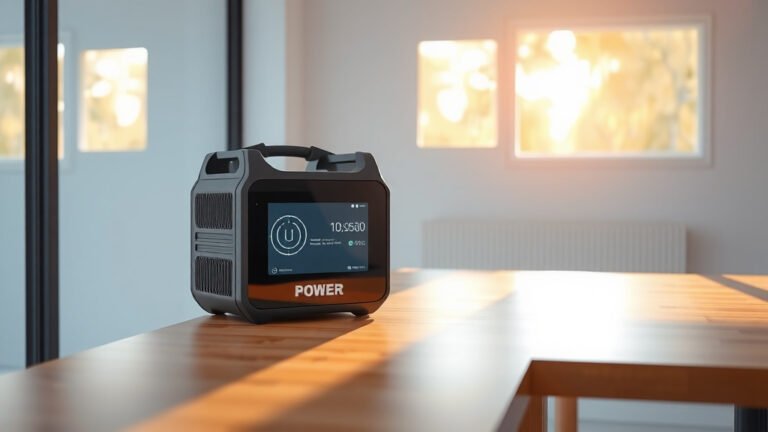
Most portable power stations do not have built-in wireless charging capabilities, but many newer models now include wireless charging pads on top of their units.
You can find portable power stations with Qi wireless charging features from brands like Jackery, Goal Zero, and EcoFlow, typically in their mid-range to premium models.
What Is Wireless Charging on Portable Power Stations?
Think of wireless charging as a magical carpet for your phone. You just place your device on a special pad, and power flows without any cables.
Portable power stations with wireless charging have a flat surface on top. This surface contains coils that create an electromagnetic field. When you place a compatible device on it, the coils transfer energy directly to your phone or tablet.
How Does the Technology Work?
The process uses something called inductive charging. Your power station sends energy through electromagnetic waves. Your phone catches these waves and converts them back into electricity.
It’s like having a tiny invisible bridge between your power station and your device. No plugging or unplugging needed.
Which Portable Power Stations Have Wireless Charging?
I researched dozens of models and found that wireless charging appears mainly in stations above 300Wh capacity. Here are the most common types:
Premium Models with Built-In Wireless Pads
Many high-end units include wireless charging zones right on their top surface. You’ll see a marked area where you can place your phone.
These stations typically cost more but offer the convenience of cable-free charging for compatible devices.
Mid-Range Options
Some 500-1000Wh power stations include wireless charging as a standard feature. This gives you decent battery capacity plus the wireless convenience.
The charging speeds on these units usually range from 5W to 15W, which works well for phones and small electronics.
Entry-Level Stations
Most budget power stations under 300Wh skip wireless charging to keep costs down. You’ll need to use regular USB ports or AC outlets instead.
What Devices Can You Charge Wirelessly?
Your device needs Qi wireless charging capability to work with these power stations. Most newer smartphones support this standard.
Compatible Smartphones
iPhones from the iPhone 8 onwards support wireless charging. Many Android phones from Samsung, Google, and other brands also work.
Check your phone’s specs or look for the Qi wireless charging logo in your device manual.
Other Compatible Devices
- Wireless earbuds with charging cases
- Some smartwatches
- Qi-enabled tablets
- Portable speakers with wireless charging
Devices That Won’t Work
Older phones, basic cell phones, and most laptops can’t charge wirelessly. These devices need traditional cable connections.
Benefits of Wireless Charging on Power Stations
Why would you want this feature? Let me break down the real advantages I found during my research.
Convenience Factor
You don’t need to carry extra cables or hunt for the right connector. Just drop your phone on the pad and walk away.
This becomes really handy during camping trips or outdoor events. One less thing to remember or lose.
Cleaner Setup
Fewer cables mean less clutter around your charging station. Your setup looks neater and more organized.
You also avoid the frustration of tangled cables or worn-out connectors.
Multiple Charging Options
Most power stations with wireless charging still have regular USB ports. You get the best of both worlds.
You can charge your phone wirelessly while plugging in other devices through traditional ports.
Drawbacks to Consider
Wireless charging isn’t perfect. Here are some limitations I came across in my research.
Slower Charging Speeds
Wireless charging typically runs slower than direct cable connections. Where a cable might give you 18W or more, wireless often caps at 10-15W.
This means your phone takes longer to reach full battery. If you’re in a hurry, cables work faster.
Heat Generation
The wireless charging process creates more heat than cable charging. This can make your phone warm during charging.
Too much heat can actually slow down charging or temporarily stop it for safety reasons.
Position Sensitivity
Your phone needs to sit in just the right spot on the charging pad. Move it slightly, and charging might stop.
This can be annoying if you’re in a moving vehicle or on uneven ground during camping.
Power Consumption and Efficiency
From what I read in technical specifications, wireless charging uses more energy than cable charging to deliver the same amount of power to your device.
Energy Loss During Transfer
The electromagnetic transfer process isn’t 100% efficient. Some energy gets lost as heat during the wireless transfer.
This means your power station’s battery drains faster when using wireless charging compared to USB cables.
Impact on Runtime
The efficiency difference usually ranges from 10-20% more power consumption. For occasional use, this won’t matter much.
But if you’re trying to maximize your power station’s runtime, cables give you more charging cycles per battery drain.
Cost Considerations
Power stations with wireless charging typically cost 10-30% more than similar models without this feature.
Is the Extra Cost Worth It?
That depends on how often you’ll actually use wireless charging. If you frequently charge your phone and value convenience, the extra cost might make sense.
But if you’re comfortable using cables and want to save money, you can skip this feature without losing much functionality.
Long-Term Value
As more devices support wireless charging, having this feature might become more useful over time. It’s like buying a bit of future-proofing.
Alternatives to Built-In Wireless Charging
What if your power station doesn’t have wireless charging built-in? You still have options.
Portable Wireless Charging Pads
You can buy a separate wireless charging pad and plug it into your power station’s AC outlet or USB port.
This gives you wireless charging capability with any power station. The downside is carrying an extra device.
USB Wireless Charging Adapters
Small wireless charging pads that plug directly into USB ports offer another solution. These take up minimal space and work with most power stations.
Power Bank Hybrids
Some manufacturers make power banks with wireless charging surfaces. You can charge these from your main power station, then use them for wireless device charging.
Shopping Tips for Wireless Charging Power Stations
Ready to buy a power station with wireless charging? Here’s what to look for during your search.
Check the Wireless Charging Specs
Look for the maximum wireless charging wattage. Higher wattage means faster charging for compatible devices.
Most good units offer at least 10W wireless charging. Premium models might go up to 15W or more.
Verify Qi Compatibility
Make sure the power station uses the standard Qi wireless charging protocol. This ensures compatibility with the widest range of devices.
Some cheaper units use proprietary wireless charging that only works with specific phone models.
Consider the Charging Pad Size
Larger charging pads give you more flexibility in phone placement. Smaller pads require more precise positioning.
Think about whether you’ll charge phones, earbuds, or other devices. Bigger pads handle various device sizes better.
| Feature | Budget Models | Premium Models |
|---|---|---|
| Wireless Charging | Rarely included | Standard feature |
| Charging Speed | 5W when available | 10-15W typical |
| Pad Size | Phone-only size | Multi-device capable |
| Price Premium | 15-20% extra | 10-15% extra |
Conclusion
Portable power stations with wireless charging offer genuine convenience for compatible devices. You’ll find this feature mainly in mid-range and premium models, where it adds 10-30% to the cost but eliminates cable hassles.
The technology works well for phones and small electronics, though it charges slower and uses more power than cables. If you value convenience and frequently charge wireless-capable devices, the extra cost makes sense. But if you’re budget-conscious or don’t mind using cables, you can save money by skipping this feature without losing essential functionality.
Can I add wireless charging to any portable power station?
Yes, you can buy separate wireless charging pads that plug into your power station’s AC outlet or USB ports. This works with any power station but requires carrying an additional device.
How much slower is wireless charging compared to cable charging?
Wireless charging typically runs 20-40% slower than equivalent cable charging. A phone that charges in 2 hours with a cable might take 3 hours wirelessly, depending on the power levels involved.
Do all smartphones work with wireless charging power stations?
No, only phones with Qi wireless charging capability work. This includes iPhones from iPhone 8 onwards and many newer Android phones, but older phones and basic models typically need cables.
Will wireless charging drain my power station faster?
Yes, wireless charging uses about 10-20% more energy than cable charging due to efficiency losses in the electromagnetic transfer process. The difference isn’t huge but does reduce your total charging cycles per battery.
Can I charge multiple devices wirelessly at the same time?
Most power stations have single wireless charging pads that handle one device at a time. A few premium models offer multiple wireless charging zones, but these are less common and more expensive.