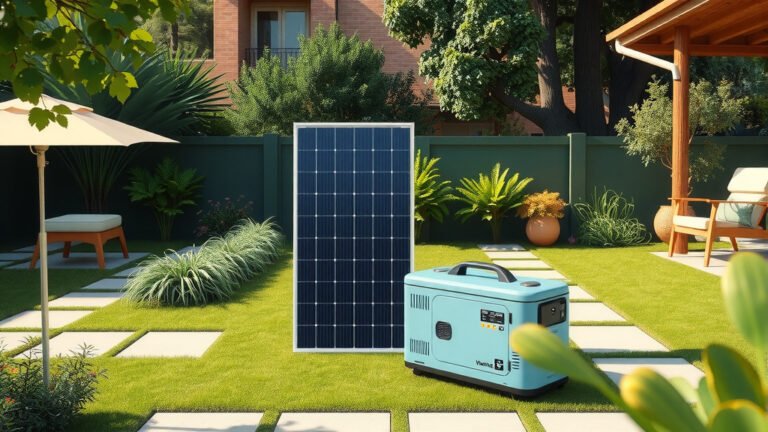
Yes, solar generators can work with most smart home devices, providing reliable backup power for your connected systems during outages.
The compatibility depends on your solar generator’s power capacity, output types, and the specific power requirements of your smart home setup.
How Solar Generators Power Smart Home Systems
Your solar generator acts like a battery bank with multiple output options. Most units provide AC outlets, USB ports, and DC connections. This variety lets you plug in different smart devices directly.
Smart home devices typically use low to moderate power. A basic smart thermostat might need 5-10 watts. Your WiFi router could draw 20-50 watts. Security cameras often use 5-15 watts each.
I found that portable solar generators ranging from 500Wh to 3000Wh can handle most smart home essentials. The key is matching your total power needs with the generator’s capacity.
Pure Sine Wave vs Modified Sine Wave
Your smart devices work best with pure sine wave output. This creates clean, stable electricity like your wall outlets provide.
Modified sine wave generators cost less but can cause problems. Some smart devices might buzz, overheat, or shut down. WiFi routers and security systems are particularly sensitive.
Power Requirements for Common Smart Devices
| Device Type | Typical Wattage | Runtime on 1000Wh Generator |
|---|---|---|
| WiFi Router | 20-50W | 20-50 hours |
| Smart Hub | 5-15W | 65-200 hours |
| Security Camera | 5-15W | 65-200 hours |
| Smart Doorbell | 3-8W | 125-330 hours |
| Smart Thermostat | 5-10W | 100-200 hours |
Which Smart Home Devices Work Best
Some smart devices are perfect partners for solar generators. Others need more planning.
Easy to Power Devices
These smart home components work great with most solar generators:
- WiFi routers and mesh networks
- Smart security cameras
- Smart doorbells
- Motion sensors
- Smart locks
- Home automation hubs
- Smart thermostats
- Smart speakers
I researched power consumption data and found these devices typically stay under 50 watts each. Your solar generator can run several of them simultaneously.
Power-Hungry Smart Devices
These require larger solar generators or careful power management:
- Smart refrigerators
- Electric water heaters with smart controls
- Smart HVAC systems
- Smart garage door openers
- Electric vehicle chargers
A smart refrigerator might use 150-800 watts when running. Your solar generator needs significant capacity to handle these loads.
Setting Up Your Solar Generator for Smart Homes
Getting your solar generator ready for smart home integration takes some planning. You want seamless power backup when the grid goes down.
Calculate Your Power Budget
List every smart device you want to keep running. Check each device’s power rating on the label or manual. Add up the total watts.
Don’t forget about surge power. Some devices need extra power when starting up. Your WiFi router might use 30 watts normally but need 60 watts at startup.
Runtime Planning
Think about how long you need backup power. A 1000Wh generator running 100 watts of smart devices lasts about 10 hours.
But real-world efficiency is usually 80-90%. Plan for shorter runtime than the math suggests.
Connection Methods
You have several ways to connect your solar generator to smart home systems.
Direct Plugin Method
Plug devices directly into your generator’s AC outlets or USB ports. This works well for small setups with just a few devices.
Keep extension cords short. Long cords can drop voltage and cause problems for sensitive electronics.
Power Strip Approach
Use a high-quality power strip to connect multiple devices to one generator outlet. Make sure the strip can handle your total wattage.
Avoid cheap power strips. Smart devices need clean, stable power. A good surge protector helps protect your equipment.
Transfer Switch Installation
For whole-home integration, consider a transfer switch. This lets you power selected circuits through your solar generator.
You’ll need an electrician for this setup. But it provides the most seamless backup power experience.
Maintaining Internet During Outages
Your smart home needs internet to function properly. When the power goes out, your modem and router shut down too.
Powering Your Network Equipment
Start with your internet modem. Most cable or fiber modems use 10-30 watts. Your WiFi router adds another 20-50 watts.
If you have mesh WiFi, each additional node needs 10-20 watts. Factor this into your power planning.
Cell Signal Boosters
Some areas lose internet during widespread outages. A cell signal booster can help maintain connectivity through your phone’s hotspot.
These boosters typically use 5-15 watts. Your solar generator can easily handle this extra load.
Security System Backup Power
Smart security systems are often the top priority during outages. You want cameras, sensors, and alarms working when you need them most.
Camera Power Requirements
Wired security cameras typically use 5-15 watts each. Wireless cameras with built-in batteries need less continuous power but require periodic charging.
Night vision and motion detection features increase power consumption. Plan for peak usage, not just standby power.
Smart Lock Considerations
Most smart locks run on batteries and don’t need external power. But some models connect to low-voltage power systems.
Check if your smart locks have backup battery systems. This affects whether you need generator power for access control.
Climate Control Integration
Smart thermostats use minimal power themselves. But they control systems that might exceed your generator’s capacity.
Thermostat Power Needs
The thermostat itself uses 5-10 watts. But think about what it controls. A central air system might need 3000-5000 watts.
You can keep the thermostat powered for monitoring and scheduling. Just know that larger HVAC equipment might not run on your solar generator.
Smart Fan Integration
Smart ceiling fans use 15-75 watts depending on speed settings. These work well with mid-size solar generators.
Smart fans can help maintain comfort when your main AC system is offline. They’re much more efficient than air conditioning.
Generator Sizing for Smart Homes
Choosing the right size solar generator depends on your smart home setup and backup power goals.
Small Smart Home Setup (500-1000Wh)
Good for basic smart home devices:
- WiFi router and modem
- 2-3 security cameras
- Smart thermostat
- Smart doorbell
- Home automation hub
This setup typically uses 50-100 watts total. A 1000Wh generator provides 10-20 hours of runtime.
Medium Smart Home Setup (1000-2000Wh)
Handles more devices and longer outages:
- Full mesh WiFi system
- 5-8 security cameras
- Multiple smart speakers
- Smart lighting controls
- Entertainment devices
Total consumption might reach 150-300 watts. A 2000Wh generator gives 6-13 hours of backup power.
Large Smart Home Setup (3000Wh+)
For comprehensive smart home backup:
- All low-power smart devices
- Some appliances with smart controls
- Multiple device charging
- Extended runtime needs
These systems might use 300-500 watts continuously. Larger generators provide better flexibility and longer outage protection.
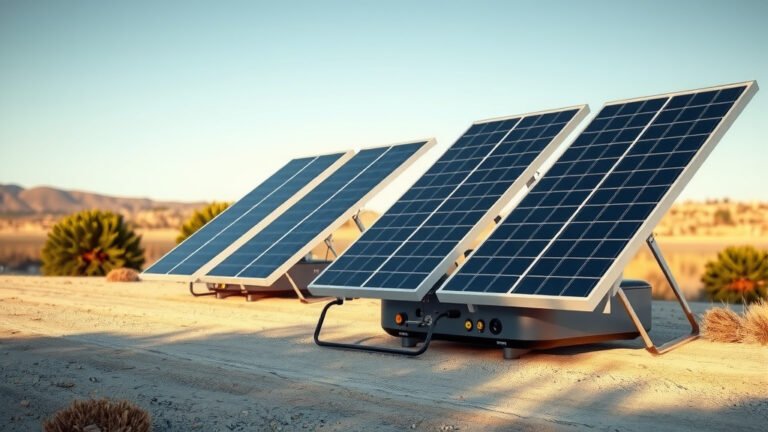
Solar Charging Considerations
The solar panels that charge your generator affect how well it supports smart home devices during extended outages.
Panel Size and Charging Speed
Bigger solar panels charge your generator faster. A 200-watt panel might fully charge a 1000Wh generator in 6-8 hours of good sun.
If your smart devices use 100 watts, you need panels that can generate more than that during peak sun hours. Otherwise, your battery drains faster than it charges.
Weather Impact
Cloudy weather reduces solar charging by 50-80%. Plan for this when sizing your system.
Some people use both solar panels and AC charging to keep their generators ready. This provides more reliability for smart home backup.
Common Integration Challenges
Even compatible systems can have hiccups. Here are issues I found people commonly face.
WiFi Range Problems
When you relocate your WiFi router to connect to the generator, signal strength might change. Smart devices at the edge of your network could lose connection.
Consider WiFi extenders or mesh nodes in different locations to maintain coverage.
Device Reset Issues
Some smart devices reset their settings after power interruptions. This can break automations and require manual reconfiguration.
Look for devices with non-volatile memory that saves settings during outages.
Cloud Service Dependencies
Many smart devices rely on cloud services. If your internet provider has outages too, devices might not work even with backup power.
Choose smart devices that can operate locally when possible. This reduces dependence on external services.
Cost-Benefit Analysis
Solar generators for smart home backup represent a significant investment. Let’s break down the value proposition.
Generator Costs
Basic units suitable for smart homes start around $500-800. Mid-range systems cost $1000-2000. High-capacity generators can exceed $3000.
Add solar panels, which typically cost $1-2 per watt of capacity. A 400-watt panel setup might add $400-800.
Smart Device Protection Value
Consider the value of what you’re protecting. A complete smart home system might represent $2000-10000 in equipment.
Beyond equipment protection, think about convenience and security. Can you put a price on home monitoring during storms or emergencies?
Future-Proofing Your Setup
Smart home technology keeps evolving. Your backup power system should adapt too.
Expandable Battery Systems
Some solar generators let you add extra batteries later. This helps if you add more smart devices over time.
Modular systems cost more upfront but provide upgrade flexibility. Consider this if your smart home is still growing.
New Device Integration
New smart devices often use less power than older models. Energy efficiency keeps improving across the industry.
But new features might increase power consumption. Plan for some growth in your power requirements.
Conclusion
Solar generators work excellently with smart home devices when properly sized and configured. Most smart home components use relatively little power, making them ideal candidates for solar generator backup.
The key to success lies in understanding your power requirements, choosing pure sine wave output, and planning for both continuous operation and surge demands. Start by identifying your most important smart devices and calculating their total power consumption.
Remember that a solar generator isn’t just about keeping devices powered. It’s about maintaining the convenience, security, and efficiency that smart home technology provides, even when the grid fails. With proper planning, your smart home can stay smart through any outage.
Can a 1000W solar generator run my entire smart home system?
A 1000W solar generator can power most low-consumption smart devices like routers, cameras, thermostats, and hubs simultaneously. But high-power smart appliances like refrigerators or HVAC systems will require larger capacity generators.
Do I need pure sine wave output for smart home devices?
Yes, pure sine wave output is recommended for smart home devices. Modified sine wave can cause interference, overheating, or malfunction in sensitive electronics like WiFi routers, security systems, and smart hubs.
How long will my solar generator keep smart devices running?
Runtime depends on your generator’s capacity and total device consumption. A 1000Wh generator powering 100W of smart devices will run approximately 8-10 hours, accounting for efficiency losses and battery protection systems.
Can I charge my solar generator while it powers my smart home?
Yes, most solar generators support pass-through charging, allowing solar panels or AC power to charge the battery while simultaneously powering your devices. This extends your backup power duration significantly during extended outages.
Will my smart devices lose their settings when switching to generator power?
Most quality smart devices maintain their settings during power transitions, but some may need to reconnect to WiFi networks. Using an uninterruptible power supply (UPS) between your generator and critical devices can prevent any interruption during the switchover.