
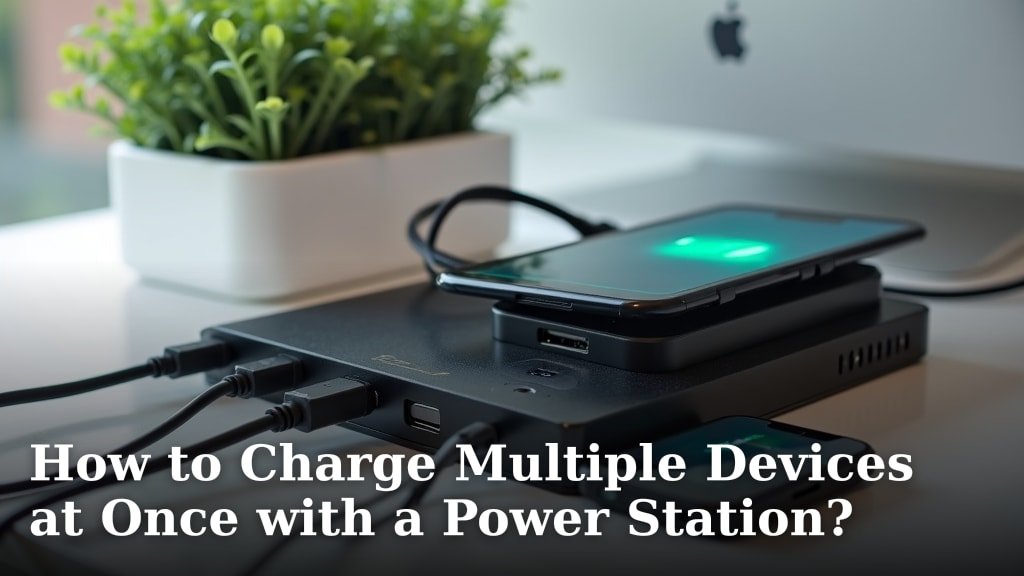
You can absolutely charge multiple devices at once with a power station! The key is understanding your power station’s capabilities and matching it to your devices’ needs. Modern power stations are designed with various outlets to handle several gadgets simultaneously.
Gone are the days of fighting for an outlet. We found that most portable power stations offer a mix of AC, DC, and USB ports, making them incredibly versatile. This means you can power everything from your phone to a mini-fridge all at the same time, as long as you stay within the unit’s total wattage limit.
- Power stations let you charge many devices at once.
- Check your power station’s port types and wattage.
- Match device needs to available outlets.
- Avoid overloading the power station.
- It’s super convenient for camping or outages.
Let’s walk through exactly how to get the most out of your power station when charging multiple devices at once, ensuring everything stays powered up safely and efficiently.
Maximizing Your Power Station for Simultaneous Device Charging
Charging multiple devices at once with your power station is simpler than you might think. It’s all about understanding what your power station can do and what your devices need. We’ll guide you through the process, step by step.
Understanding Your Power Station’s Capabilities
Before you plug anything in, get to know your power station. Think of it like a smart electrical hub. Each model has a unique set of features and limitations. Knowing these helps you charge safely and efficiently.
Checking Output Ports and Types
Your power station likely has a variety of ports. These are the doors through which power flows to your gadgets. You’ll usually find AC outlets, DC ports, and several USB ports.
- AC Outlets: These are just like the wall outlets in your home. They’re perfect for laptops, mini-fridges, or small appliances. Most power stations offer a few.
- DC Ports: You might see a 12V car cigarette lighter style port or smaller DC barrel jacks. These are great for car-powered devices or specific outdoor gear.
- USB-A Ports: These are standard for many older phones, tablets, and small electronics. They’re common and widely compatible.
- USB-C Ports (PD): Many modern power stations feature USB-C ports with Power Delivery (PD). These offer faster charging for newer smartphones, tablets, and even some laptops. They’re quite efficient!
Take a moment to look at your power station. Which ports does it have? This variety is what makes charging multiple devices so convenient.
Understanding Wattage Ratings
Wattage is the most important number. It tells you how much power your station can deliver. You’ll usually see two main wattage ratings:
- Rated (Continuous) Wattage: This is the amount of power your power station can consistently supply. It’s the total power budget you have for all your devices combined.
- Peak (Surge) Wattage: Some devices, like refrigerators, need a quick burst of extra power when they first start up. The peak wattage is what your power station can handle for a very short time during these surges.
Always keep an eye on the rated wattage. If the total watts drawn by all your devices exceed this number, your power station will likely shut down to protect itself. This is a safety feature, not a bug!
Matching Devices to Your Power Station’s Ports
Now that you know your power station, let’s look at your devices. Each device has different power requirements. Matching them correctly is key to smooth, simultaneous charging.
Identifying Device Power Needs
How much power does your phone, laptop, or camera battery need? You can usually find this information on the device’s charger, its power adapter, or in the user manual. Look for “Input” or “Output” specifications.
- Smartphones and Tablets: Typically use USB-A or USB-C. They usually draw between 5W and 30W, with fast-charging models needing more.
- Laptops: These vary widely. Smaller laptops might need 30W-60W via USB-C. Larger gaming or professional laptops can demand 60W-100W or more, often needing an AC outlet.
- Cameras and Drones: Often charge via USB-A or USB-C, typically consuming 10W-20W.
- Small Appliances: Mini-fridges, portable fans, or CPAP machines will use AC outlets and can draw anywhere from 30W to 200W or more.
Make a quick mental note, or even a literal note, of what each device needs. This step prevents guesswork.
Calculating Total Wattage Load
This is where the magic happens. Add up the wattage requirements for all the devices you plan to charge simultaneously. Let’s say you want to charge:
- Your phone: 18W (USB-C)
- Your laptop: 65W (USB-C or AC)
- A portable fan: 20W (AC)
- A camera battery: 10W (USB-A)
Your total wattage load would be 18W + 65W + 20W + 10W = 113W. As long as this total is less than your power station’s rated (continuous) wattage, you’re good to go!
Here’s a quick example to illustrate:
| Device | Port Type | Approx. Wattage |
|---|---|---|
| Smartphone | USB-C | 18W |
| Laptop | AC or USB-C | 65W |
| LED Lantern | USB-A | 5W |
| Drone Battery | USB-C | 30W |
| Total Load | 118W |
If your power station has a continuous output of 300W, then charging these four items together is well within its limits. Easy, right?
Best Practices for Charging Multiple Devices
Charging many things at once is super convenient, but a few best practices ensure safety and longevity for your power station and devices.
Prioritize Your Devices
Sometimes, you might have more devices than available ports or total wattage. What then? Prioritize! Which devices are most critical? Charge those first. For example, if you’re camping, keeping your communication device charged might be more important than a tablet for entertainment.
- Need your phone for emergencies? Charge it first.
- Working remotely? Keep that laptop powered up.
- Battery for medical equipment? Always top priority.
This helps you manage your power station’s resources effectively.
Avoid Overloading Your Power Station
We’ve touched on this, but it bears repeating: do not exceed your power station’s continuous wattage rating. If you do, it will likely trigger an overload protection, shutting down all power. This isn’t harmful in the short term, but consistently pushing the limits can put stress on the unit over time.
Many modern power stations have a display that shows the total output wattage in real-time. Keep an eye on it as you plug in devices. This visual feedback is incredibly helpful.
Tips for Efficient Multi-Device Charging
Getting the most out of your power station isn’t just about plugging things in. A little planning can make a big difference.
Use the Right Cables
A good cable makes a difference, especially for fast charging. For USB-C Power Delivery (PD), use a cable rated for the wattage your device needs. A flimsy cable might not deliver enough power, even if your power station can supply it. This is a common oversight that can lead to slower charging (U.S. Department of Energy).
Manage Heat Buildup
When a power station is working hard, especially charging multiple devices, it generates heat. This is normal. Make sure your power station has good airflow around it. Don’t cover its vents. Keeping it cool helps it run more efficiently and extends its lifespan.
A Quick Checklist Before You Plug In:
- Confirm your power station’s continuous wattage.
- Know the wattage each device needs.
- Ensure your total device wattage is below the station’s limit.
- Match devices to the correct port types (AC, DC, USB-A, USB-C).
- Use quality charging cables.
- Place the power station in a well-ventilated area.
By following these steps, you’ll be a pro at charging all your gadgets simultaneously with your power station. Enjoy the freedom of always being powered up! If you’re looking for an affordable option, our guide to the best budget portable power station can help you find a reliable unit.
Conclusion
Charging multiple devices simultaneously with your power station is incredibly liberating, whether you’re off-grid or just dealing with a power outage. You now know the importance of understanding your station’s ports and wattage limits. By correctly calculating your total power needs and choosing the right cables, you can keep all your essential gear running smoothly.
Remember to prioritize devices and manage heat to ensure safety and efficiency. With these tips, you’re ready to confidently manage your power needs. Go ahead, plug in, and enjoy the convenience of always having power wherever you are!
Frequently Asked Questions
Can I use all the ports on my power station at the same time?
Yes, you can typically use all the different port types (AC, DC, USB) simultaneously. The main limitation will be the total continuous wattage your power station can output. As long as the combined power draw of all connected devices stays below this limit, you’re good to go.
Will charging multiple devices drain my power station faster?
Yes, charging more devices simultaneously will consume your power station’s battery capacity more quickly than charging just one device. Each device draws power, so the more devices connected, the faster the total energy is used up. Monitor your power station’s display for its remaining battery life.
Is it bad for my devices to charge them all at once from a power station?
No, it’s generally not bad for your devices if done correctly. The power station provides the necessary power, just like a wall outlet. Ensure you use appropriate cables and don’t exceed your device’s charging specifications. Your devices will only draw the power they need.
What happens if I try to plug in too many high-wattage devices?
If the total wattage of your devices exceeds your power station’s continuous output rating, its overload protection will usually kick in. This safety feature will temporarily shut down the power station to prevent damage. You’ll then need to unplug some devices and restart the power station.
Can I charge a power station while it’s charging other devices?
Many modern power stations support “pass-through charging,” which means you can charge the power station itself while it’s simultaneously powering other devices. This is a very convenient feature, but it’s always best to check your specific power station’s manual to confirm if it supports pass-through charging and any limitations it might have.
