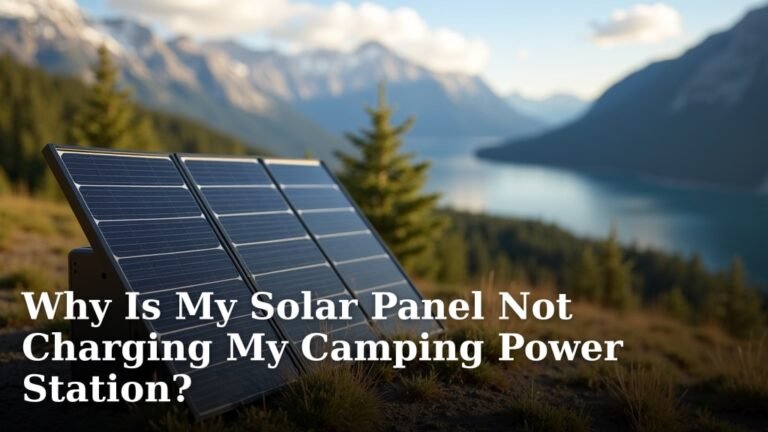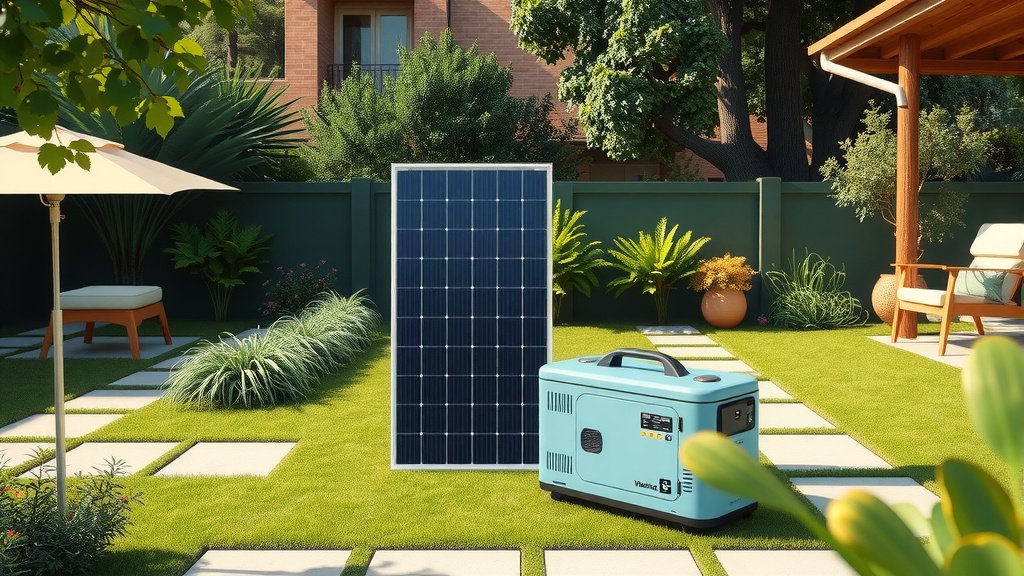
To maintain your solar generator for emergencies, charge it every 3-6 months, clean solar panels regularly, and store it in a dry place between 32-77°F.
Proper solar generator maintenance involves battery care, panel cleaning, and regular testing to ensure your backup power works when you need it most.
Your emergency solar generator is like a fire extinguisher. You hope you never need it, but when disaster strikes, it better work perfectly. The difference is that fire extinguishers sit idle for years. Solar generators need regular attention to stay ready.
Let me walk you through everything you need to know about keeping your solar generator in peak condition. I’ve researched best practices from manufacturers and energy experts to give you a complete maintenance roadmap.
Why Solar Generator Maintenance Matters
Solar generators aren’t magic boxes that work forever without care. They contain sophisticated batteries, electronics, and charging systems that degrade over time.
Poor maintenance can cut your generator’s lifespan by 50% or more. Worse yet, you might discover it’s dead right when you need it most.
Think of maintenance as insurance for your insurance. A little effort now saves you from being powerless during the next storm or outage.
Battery Care: The Heart of Your System
The battery is your solar generator’s most expensive and critical component. Most units use lithium-ion batteries that can last 2,000-6,000 cycles with proper care.
Charge Cycles and Storage
Never let your battery sit completely empty for months. Lithium batteries slowly lose charge even when not in use. This process, called self-discharge, happens faster in hot conditions.
I found that most manufacturers recommend keeping batteries between 50-80% charge during storage. This sweet spot prevents both deep discharge damage and overcharge stress.
Check your battery level every 3-4 months. If it drops below 20%, give it a full charge cycle.
Temperature Control
Heat kills batteries faster than anything else. Store your generator in a cool, dry place whenever possible.
The ideal storage temperature range is 32-77°F (0-25°C). Avoid attics, garages without climate control, or anywhere temperatures swing wildly.
Cold won’t permanently damage lithium batteries, but it reduces their capacity temporarily. Bring your generator to room temperature before use in winter.
Signs Your Battery Needs Attention
- Runtime drops significantly compared to when new
- Takes much longer to charge than usual
- Battery gets hot during normal use
- Display shows error messages or unusual readings
Solar Panel Maintenance
Clean solar panels can produce 15-25% more power than dirty ones. Dust, bird droppings, and grime block sunlight and reduce charging efficiency.
Cleaning Your Panels
Clean panels every 2-3 months, or more often if you live in dusty areas. Use only water and a soft brush or cloth. Harsh chemicals can damage the panel coating.
Clean early morning or evening when panels are cool. Hot panels can crack if hit with cold water.
For stubborn dirt, mix a small amount of dish soap with water. Rinse thoroughly afterward.
Physical Inspection
Check for cracks, scratches, or loose connections every few months. Small cracks can spread and reduce power output.
Look at the cables and connectors too. Outdoor use can loosen connections or damage wires.
Panel Storage Tips
- Store panels flat or slightly angled to prevent warping
- Keep them in a dry place away from sharp objects
- Don’t stack heavy items on top of folded panels
- Cover panels during long-term storage to prevent UV damage
Regular Testing Schedule
You can’t assume your generator works just because it powered up last month. Create a simple testing routine that catches problems early.
Monthly Quick Tests
Once a month, turn on your generator and check basic functions. Make sure the display works, buttons respond, and outlets provide power.
Plug in a small device like a phone charger or lamp. This quick test confirms your inverter is working properly.
Quarterly Full Tests
Every three months, do a complete charge and discharge cycle. Charge the generator fully, then use it to power devices until it’s nearly empty.
Time how long it takes to charge and how long it powers your test load. Keep notes so you can spot declining performance over time.
| Test Type | Frequency | What to Check |
|---|---|---|
| Quick Function | Monthly | Display, buttons, basic power output |
| Full Cycle | Quarterly | Charge time, runtime, capacity |
| Emergency Load | Twice yearly | Power your actual emergency devices |
Emergency Load Testing
Twice a year, test your generator with the actual devices you’d use in an emergency. Power your refrigerator, medical equipment, or communication devices.
This real-world test shows how long your generator will actually last during an outage. You might discover some devices use more power than expected.
Firmware and Software Updates
Many modern solar generators have firmware that manufacturers update periodically. These updates can improve performance, fix bugs, or add new features.
Check your manufacturer’s website every 6 months for firmware updates. Some generators can update over WiFi, while others need a USB connection.
Always follow the manufacturer’s exact instructions for updates. A failed firmware update can brick your generator.
Cleaning and Physical Maintenance
Keep your generator clean inside and out. Dust buildup can clog cooling fans and cause overheating.
Exterior Cleaning
Wipe down the case with a damp cloth every few months. Pay attention to ventilation grilles where dust collects.
Never use pressure washers or spray water directly on the unit. Most generators aren’t waterproof, even if they’re weather-resistant.
Interior Maintenance
Some generators have removable covers that let you clean internal fans and components. Check your manual before opening anything.
Use compressed air to blow out dust from fans and heat sinks. Work in short bursts to avoid condensation.
What Not to Touch
- Battery connections unless specifically instructed
- Circuit boards or electronic components
- Internal wiring or fuses
- Sealed areas marked “no user serviceable parts”
Seasonal Preparation
Different seasons bring different challenges for solar generator maintenance.
Summer Preparation
Heat is your generator’s biggest enemy. Make sure cooling fans work properly before hot weather hits.
Clean dust from ventilation areas. Blocked airflow combined with high temperatures can damage internal components.
Monitor charge levels more frequently in summer. Heat increases self-discharge rates.
Winter Preparation
Cold weather reduces battery capacity temporarily. Your generator might provide 20-30% less runtime in freezing conditions.
If possible, store your generator in a heated area during winter. Bring it to room temperature before use.
Snow and ice can block solar panels completely. Keep panels clear for emergency charging.
Troubleshooting Common Issues
Even well-maintained generators can develop problems. Here are the most common issues and simple fixes.
Won’t Turn On
Check the battery charge first. Even if you thought it was charged, batteries can self-discharge faster than expected.
Look for loose connections between the battery and control unit. Vibration during transport can loosen cables.
Slow Charging
Dirty solar panels are the most common cause of slow charging. Clean panels can double your charging speed.
Check that panels are aimed directly at the sun. Even partial shade dramatically reduces power output.
Verify all connections are tight. Loose connections create resistance that wastes power.
Reduced Runtime
Battery capacity naturally decreases with age. After 2,000-3,000 cycles, you’ll notice shorter runtime.
Hot storage conditions accelerate capacity loss. If your generator has been stored in hot areas, the battery might be degraded.
When to Call for Service
- Error codes you can’t resolve with the manual
- Unusual noises from fans or internal components
- Burning smells or visible damage
- Repeated shutdowns during normal use
Storage Best Practices
How you store your generator between uses affects its longevity more than how often you use it.
Location Selection
Choose a storage spot that stays consistently cool and dry. Basements often work better than garages or attics.
Avoid areas with temperature swings. Daily heating and cooling cycles stress battery chemistry.
Make sure the storage area is accessible. You don’t want to dig through boxes during an actual emergency.
Position and Setup
Store the generator on a stable surface where it won’t get knocked over. Keep it away from chemicals, paint, or other corrosive materials.
Leave some space around ventilation areas. Even in storage, some airflow helps prevent moisture buildup.
Record Keeping
Keep a simple log of your maintenance activities. Note charge levels, test results, and any issues you discover.
This record helps you spot patterns and catch problems early. It’s also valuable for warranty claims if something goes wrong.
Take photos of unusual wear, damage, or error messages. Visual records help technicians diagnose problems faster.
Conclusion
Maintaining your solar generator doesn’t require technical expertise, just consistency. The key habits are simple: charge regularly, keep it clean, store it properly, and test it periodically.
Your generator is an investment in your family’s security and comfort during emergencies. A little maintenance now ensures it will work when you need it most. Start with a simple monthly check, and build from there. Your future self will thank you when the power goes out and your generator fires up without hesitation.
How often should I charge my solar generator if I don’t use it?
Charge your solar generator every 3-6 months during storage, or whenever the battery drops below 20%. Lithium batteries self-discharge over time and can be damaged if left completely empty for extended periods.
Can I leave my solar generator plugged in all the time?
Most modern solar generators have built-in charge controllers that prevent overcharging, but it’s better to unplug after reaching 100%. Constant trickle charging can stress the battery over time. Check your manual for specific guidance from your manufacturer.
What’s the biggest mistake people make with solar generator maintenance?
Storing the generator in hot locations like garages or attics. Heat dramatically shortens battery life and can reduce capacity by 50% or more. Always store in cool, dry places between 32-77°F when possible.
How do I know when my solar generator battery needs replacement?
Replace the battery when runtime drops to 60-70% of original capacity, or after 2,000-6,000 charge cycles (depending on battery type). Also replace if the battery won’t hold a charge, gets very hot during use, or shows error messages.
Should I remove the battery during long-term storage?
Only remove the battery if your manual specifically recommends it and you’re storing for more than a year. Most solar generators are designed to store as complete units. Removing batteries incorrectly can void warranties and create safety risks.