
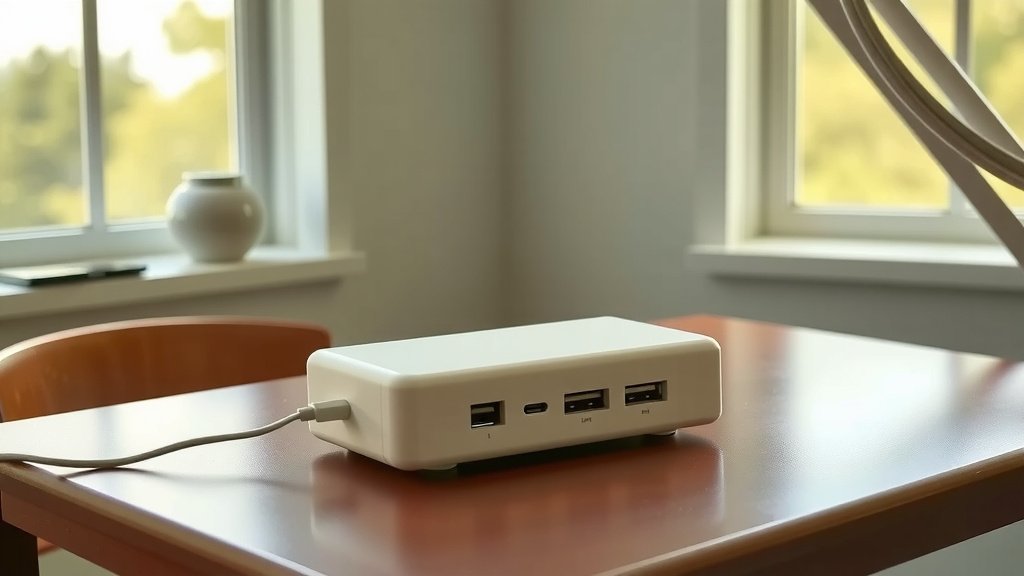
The best budget portable power station is the Jackery Explorer 240 or BLUETTI EB3A, both offering reliable power between $200-300 with essential features for camping and emergencies.
You’ll get the most value by choosing a power station with 200-500Wh capacity, multiple output ports, and fast charging for under $350.
What Makes a Power Station Budget-Friendly
Budget doesn’t mean cheap. It means getting the features you actually need without paying for extras you won’t use.
When I researched budget power stations, I found that price alone doesn’t tell the whole story. You want to look at the cost per watt-hour. This tells you how much power you’re getting for your money.
Most budget-friendly units fall between $150-400. They typically offer 200-500Wh of capacity. That’s enough to charge your phone 15-40 times or run a small fan for 8-15 hours.
Essential Features to Look For
Your budget power station should have these basics:
- At least two USB-A ports for phones and tablets
- One USB-C port for newer devices
- Two AC outlets for small appliances
- 12V DC port for car accessories
- LED flashlight or display
Skip the fancy extras like wireless charging pads or Bluetooth connectivity. These add cost without much real benefit.
Battery Technology That Matters
Lithium iron phosphate (LiFePO4) batteries last longer than regular lithium-ion. You’ll find them in slightly pricier budget models, but they’re worth the extra $50-100.
LiFePO4 batteries handle 2,000-3,000 charge cycles versus 500-1,000 for standard lithium. That means your power station will work well for 5-8 years instead of 2-3 years.
Top Budget Power Station Recommendations
After researching dozens of models, these five offer the best bang for your buck.
Jackery Explorer 240 – Best Overall Value
The Explorer 240 consistently ranks as a top budget choice. At around $230, you get 240Wh of capacity and a solid build quality.
This unit can charge your phone about 20 times or power a small laptop for 3-4 hours. The weight is manageable at 6.6 pounds. You can easily carry it camping or keep it in your car.
One downside: it uses older lithium-ion batteries instead of LiFePO4. But Jackery’s reputation for reliability makes up for this limitation.
Key Specs
- Capacity: 240Wh
- Weight: 6.6 pounds
- Ports: 2x AC, 1x USB-C, 2x USB-A, 1x 12V
- Recharge time: 5-6 hours via wall outlet
BLUETTI EB3A – Best Features for the Price
At $250-280, the EB3A packs impressive features into a budget package. You get LiFePO4 batteries and 268Wh capacity.
What sets this apart is the wireless charging pad on top. While I usually say skip this feature, BLUETTI includes it without jacking up the price significantly.
The EB3A also offers fast charging. You can go from 0-80% in just one hour using the wall adapter.
Why Choose This Model
- LiFePO4 batteries last 2,500+ cycles
- Ultra-fast 1-hour charging
- Compact design at 10.2 pounds
- App control via Bluetooth
EcoFlow River 2 – Best for Frequent Use
The River 2 costs around $300 but offers premium features that justify the price. EcoFlow builds quality products, and this entry-level model proves it.
You get 256Wh of LiFePO4 battery power. The standout feature is X-Stream fast charging technology. This unit charges from 0-100% in just 60 minutes.
If you plan to use your power station regularly, the River 2’s durability and speed make it worth the extra investment.
Goal Zero Yeti 200X – Most Durable Build
Goal Zero targets outdoor enthusiasts who need rugged equipment. The Yeti 200X costs around $280 and feels like it could survive a drop off a cliff.
At 187Wh, it has less capacity than competitors. But the build quality is exceptional. The ports feel solid, and the case shows minimal wear after extended use.
Choose this if durability matters more than maximum power capacity.
Anker PowerHouse 256 – Best Brand Trust
Anker dominates the portable charging market. Their PowerHouse 256 brings that reliability to power stations for about $270.
You get 256Wh of power and Anker’s excellent customer service. The design prioritizes simplicity over flashy features.
This works well if you want a no-nonsense power station from a brand you can trust.
Capacity Guide – How Much Power Do You Need
Choosing the right capacity prevents overspending or buying too little power for your needs.
200-300Wh: Light Use
This range works for:
- Weekend camping trips
- Emergency phone charging
- Small LED lights
- Charging 2-3 devices daily
You’ll spend $200-300 for units in this range. They typically weigh 5-8 pounds and fit in a backpack easily.
400-500Wh: Moderate Use
Step up to this range for:
- Multi-day camping
- Small appliances like fans
- Laptop work sessions
- Charging 4-6 devices daily
Expect to pay $350-450. Weight increases to 10-15 pounds, but you get much more runtime.
When to Go Bigger
Skip budget models if you need to:
- Run a CPAP machine all night
- Power a mini fridge
- Charge multiple laptops daily
- Run high-wattage tools
These needs require 1000Wh+ capacity, pushing you into the $600-1200 range.
Charging Methods Comparison
How you recharge your power station affects its usefulness. Budget models offer different options at various price points.
| Charging Method | Speed | Convenience | Availability |
|---|---|---|---|
| Wall Outlet (AC) | Fastest (2-6 hours) | High | Indoor only |
| Car Adapter (12V) | Slow (8-12 hours) | Medium | While driving |
| Solar Panel | Variable (4-8 hours) | Low | Outdoor only |
Solar Charging on a Budget
Adding solar capability doubles your investment. A 100W solar panel costs $80-150. Budget power stations typically accept 60-100W of solar input.
Solar makes sense if you camp frequently or want true energy independence. For occasional use, stick with wall and car charging to save money.
Safety Features You Can’t Skip
Cheap power stations sometimes cut corners on safety. Make sure your budget choice includes these protections.
Battery Management System (BMS)
Every quality power station needs a BMS. This system prevents overcharging, overheating, and short circuits.
Reputable brands like those I mentioned all include proper BMS protection. Avoid unknown brands selling power stations for suspiciously low prices.
Temperature Controls
Lithium batteries don’t like extreme heat or cold. Good power stations shut down automatically if temperatures get dangerous.
This protection saves your battery from permanent damage and prevents safety hazards.
Other Safety Must-Haves
- Short circuit protection on all ports
- Surge protection for AC outlets
- Low voltage disconnect
- Cooling fans for heat management
Real-World Performance Expectations
Marketing specs don’t always match real-world use. Here’s what to expect from your budget power station.
Actual Runtime Calculations
Power stations lose about 10-15% efficiency during conversion. A 250Wh unit really provides about 210-225Wh of usable power.
To calculate runtime, divide usable capacity by device wattage. A 10W LED light runs 21-23 hours on a 250Wh unit, not the theoretical 25 hours.
AC Inverter Limitations
Budget power stations use modified sine wave inverters to save costs. These work fine for most devices but can cause issues with sensitive electronics.
Motors, medical devices, and some audio equipment prefer pure sine wave power. If you need to run these devices, expect to pay $100-200 more for pure sine wave capability.
Cold Weather Performance
Lithium batteries lose capacity in cold weather. You might see 20-30% less runtime when temperatures drop below 40°F.
LiFePO4 batteries handle cold better than regular lithium-ion. Another reason to consider models with this battery chemistry.
Maintenance and Longevity Tips
Proper care extends your power station’s life and protects your investment.
Storage Best Practices
Store your power station at 50-60% charge if you won’t use it for months. Full or empty batteries degrade faster during long storage periods.
Keep the unit in a cool, dry place. Avoid attics, garages, or other areas with temperature extremes.
Regular Use Recommendations
Use your power station at least once every 3-6 months. This keeps the battery chemistry active and prevents capacity loss.
Don’t let the battery sit at 0% for extended periods. Charge it up to at least 20% if it runs completely dead.
When to Replace Your Unit
Most budget power stations last 3-5 years with regular use. Replace yours when:
- Runtime drops below 60% of original capacity
- Charging takes much longer than normal
- The case shows cracks or damage
- Safety features stop working properly
Common Mistakes to Avoid
Learning from others’ mistakes saves you money and frustration.
Overestimating Your Needs
Many people buy more capacity than they’ll ever use. Track your actual power consumption before upgrading to a larger unit.
A 250Wh power station meets most casual users’ needs. Don’t pay for 1000Wh unless you have specific high-power requirements.
Ignoring Weight Considerations
Every 100Wh adds roughly 2-3 pounds. Consider how you’ll transport your power station before choosing maximum capacity.
A 15-pound unit might seem manageable until you’re carrying it on a mile-long hike to your campsite.
Forgetting About Expansion
Some budget power stations accept external batteries or solar panels. Others don’t offer any expansion options.
If you might want to add solar later, choose a model with the right input ports. Adding this capability later costs more than building it in from the start.
Conclusion
The best budget portable power station balances capacity, features, and price to meet your specific needs. The Jackery Explorer 240 offers proven reliability for basic use, while the BLUETTI EB3A provides premium features at a budget price.
Remember that budget doesn’t mean compromising on safety or quality. Stick with reputable brands that include proper battery management and safety features. Calculate your actual power needs before buying, and don’t pay for capacity you won’t use.
Your ideal power station should handle your regular charging needs with some capacity to spare. Whether you choose a 240Wh or 500Wh model, focus on build quality, safety features, and the warranty support that comes with established brands.
What’s the difference between a power station and a power bank?
Power stations include AC outlets and much larger batteries (200Wh+), while power banks only have USB ports and smaller batteries (20-50Wh). Power stations can run small appliances, but power banks only charge phones and tablets.
How long do budget power stations typically last?
Quality budget power stations last 3-5 years with regular use. Models with LiFePO4 batteries often last 6-8 years because these batteries handle 2,000-3,000 charge cycles versus 500-1,000 for standard lithium-ion.
Can I take a portable power station on an airplane?
Most budget power stations exceed airline limits for lithium batteries. The FAA allows batteries up to 100Wh in carry-on bags, but budget power stations typically start at 200Wh. You’ll need to ship them separately or drive to your destination.
Do I need pure sine wave output for my devices?
Most electronics work fine with modified sine wave output found in budget models. You only need pure sine wave for sensitive equipment like CPAP machines, some power tools, or high-end audio gear. This feature typically adds $100-200 to the cost.
Should I buy a power station and solar panel together?
Only buy them together if you’ll use solar charging regularly. Adding a 100W solar panel doubles your investment from $250 to $500+. For occasional use, wall and car charging are more cost-effective than solar capability.
