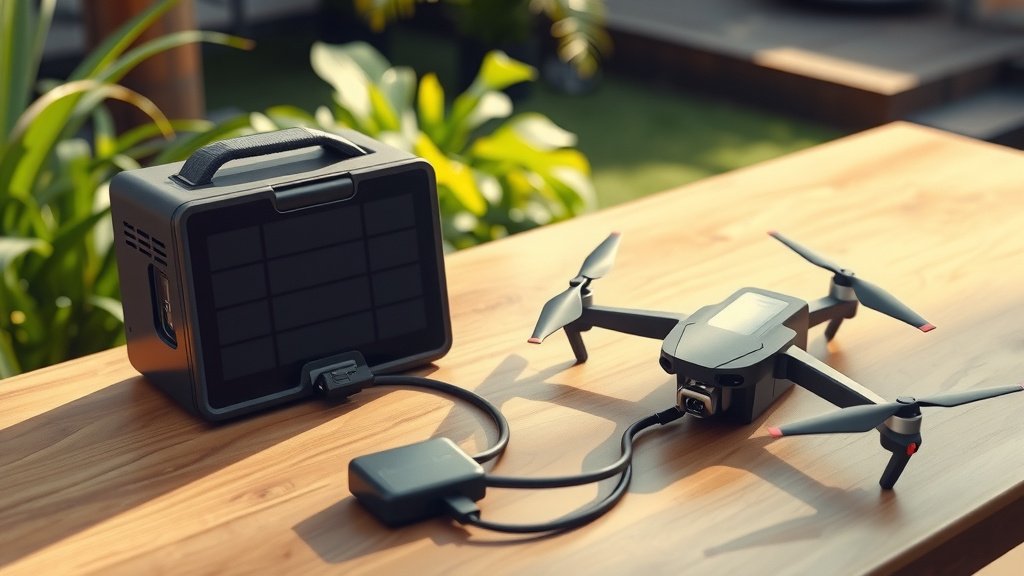
Connect your drone charger to a solar generator by matching the voltage and amperage requirements, then plug directly into the generator’s AC outlet or 12V port using the appropriate cable.
Most drone chargers work with solar generators rated 200W or higher, but you need to check your specific drone’s power needs first.
Quick Setup Guide
Setting up your drone charger with a solar generator takes about 5 minutes once you have the right equipment. The process is pretty straightforward if you follow these steps.
First, check your drone charger’s power label. Look for voltage (usually 12V or 19V) and amperage requirements. Write these numbers down – you’ll need them.
Next, make sure your solar generator can handle the load. Most drone chargers need between 50W to 100W of power. Your generator should have at least 200W capacity for reliable charging.
What You Need Before Starting
- Solar generator with adequate wattage
- Drone charger (original or compatible)
- Appropriate connecting cable
- Voltage meter (optional but helpful)
Understanding Power Requirements
Your drone’s power needs depend on its battery size and type. I found that most consumer drones use 50W to 65W chargers, while professional drones might need 100W or more.
Think of it like filling a water bottle. A bigger bottle needs more water, and a bigger drone battery needs more power. The charging speed also matters – fast charging requires more watts.
Common Drone Power Specs
| Drone Type | Typical Charger Wattage | Charging Time |
|---|---|---|
| Small Consumer Drones | 25-50W | 1-2 hours |
| Mid-Range Drones | 50-65W | 1.5-3 hours |
| Professional Drones | 100W+ | 2-4 hours |
Voltage Matching Is Critical
Getting the voltage wrong can damage your drone or charger. Most drone chargers use either 12V or 19V input. Check the label on your charger’s power brick.
If your charger says “Input: 12V,” you need to use the 12V output on your solar generator. Wrong voltage is like putting diesel in a gasoline car – it won’t work and might cause damage.
AC vs DC Output Selection
Solar generators usually have both AC outlets (like wall plugs) and DC outputs (12V ports). Most drone chargers work fine with either, but DC is more efficient.
Using DC output saves about 10-15% more power because there’s no conversion loss. That means longer runtime from your solar generator.
Step-by-Step Connection Process
Ready to connect everything? Here’s the exact process I recommend based on what I found works best.
Step 1: Power Up Your Solar Generator
Turn on your solar generator and let it boot up completely. Most units take 10-30 seconds to initialize all their outputs.
Check the battery level display. You want at least 50% charge before starting. Charging a drone battery from a nearly empty solar generator is like trying to fill a cup from an almost empty pitcher.
Step 2: Select the Right Output Port
Look at your drone charger’s input requirements again. If it needs 12V, use the DC output. If it’s a standard wall charger, use the AC outlet.
Many people ask me which is better. From what I researched, DC is more efficient, but AC gives you more flexibility with different charger types.
DC Connection Method
For DC connections, you might need a cigarette lighter adapter or Anderson connector. These come with most solar generators or can be bought separately.
Plug the adapter into the DC output, then connect your drone charger. The connection should feel secure – no loose plugs.
AC Connection Method
AC connections are simpler. Just plug your drone charger directly into the generator’s AC outlet, like you would at home.
Make sure the AC output is turned on. Some generators have separate switches for AC and DC outputs.
Step 3: Connect Your Drone Battery
With the charger powered up, connect your drone battery. Most chargers have LED indicators that show charging status.
Green usually means ready, red means charging, and blue often indicates fully charged. Check your charger’s manual for specific color codes.
Safety Considerations
Safety should be your top priority when connecting any electrical devices. I found several important precautions that many people overlook.
Overload Protection
Never exceed your solar generator’s rated output. If your generator provides 150W maximum and your drone charger needs 100W, you’re cutting it close.
Leave some headroom – aim to use only 80% of your generator’s capacity. This prevents overheating and extends battery life.
Temperature Monitoring
Both your solar generator and drone charger will get warm during use. That’s normal, but excessive heat isn’t.
If either device becomes too hot to touch comfortably, unplug everything and let them cool down. Heat is the enemy of battery life.
Weather Protection
Keep all connections dry and protected from moisture. Even light rain can cause short circuits or corrosion.
Use a tarp or canopy if you’re charging outdoors. Water and electricity don’t mix – ever.
Secure Connections
Loose connections can cause arcing, which damages both devices. Make sure all plugs are fully inserted and secure.
I’ve seen people tape connections for extra security during windy conditions. It’s a good idea if you’re in the field.
Troubleshooting Common Issues
Sometimes things don’t work perfectly on the first try. Here are the most common problems and their solutions.
Charger Won’t Turn On
If your drone charger doesn’t power up, check these things first:
- Is the solar generator’s output turned on?
- Are all connections secure?
- Does the generator have enough battery charge?
- Is the voltage output correct for your charger?
Slow Charging Speed
Slower than expected charging usually means power limitations. Your solar generator might not provide enough current for fast charging.
This isn’t necessarily bad – slower charging is gentler on drone batteries and can extend their lifespan.
Battery Percentage Drops During Charging
If your solar generator’s battery drops quickly while charging, your drone charger might draw more power than expected.
Check if other devices are connected and drawing power. Disconnect everything except the drone charger and try again.
Generator Shuts Off Unexpectedly
Automatic shutdowns usually indicate overload protection kicking in. Your charger might be drawing too much power.
Let the generator cool down for 15-30 minutes, then try again. If it keeps happening, your charger might be incompatible.
Optimizing Charging Efficiency
Getting the most from your solar generator and drone charger combo requires some smart strategies. I researched several methods that work well.
Timing Your Charges
Charge your drone batteries when your solar generator is fully powered. This reduces stress on the generator’s battery and improves efficiency.
If you have solar panels connected, charge during peak sun hours. The panels can help offset the power draw.
Sequential vs Parallel Charging
If you have multiple drone batteries, charge them one at a time rather than simultaneously. This reduces the total power draw and prevents overloads.
Think of it like taking turns at a water fountain – everyone gets what they need without overwhelming the system.
Battery Management Tips
Don’t charge drone batteries to 100% if you’re storing them. Most experts recommend 60-80% charge for storage.
This extends battery life and reduces fire risk. Lithium batteries are happiest when they’re not completely full or empty.
Temperature Considerations
Cold batteries charge slower and hold less capacity. If you’re in cold weather, keep batteries warm before charging.
Hot batteries can be dangerous to charge. Let them cool to room temperature first.
Choosing Compatible Equipment
Not all solar generators work well with every drone charger. Here’s what to look for when buying or using equipment.
Generator Capacity Guidelines
Your solar generator should have at least 3-4 times your charger’s wattage in total capacity. A 65W charger works best with a 200W+ generator.
This gives you multiple charges and prevents deep discharge, which damages generator batteries.
Output Options Matter
Look for generators with multiple output types: AC outlets, 12V ports, and USB ports. This flexibility lets you charge different devices efficiently.
Pure sine wave AC output is better for sensitive electronics, though most drone chargers work fine with modified sine wave too.
Brand Compatibility
Most drone chargers are pretty universal, but some proprietary systems work best with specific setups.
Research shows that DJI, Autel, and Skydio chargers generally work well with most solar generators. Custom racing drone chargers might need more attention.
Maintenance and Care
Proper maintenance keeps your setup running smoothly for years. I found these practices work best for long-term reliability.
Regular Connection Cleaning
Clean all connection points monthly with a dry cloth. Dust and corrosion reduce efficiency and can cause connection problems.
For stubborn corrosion, use a small amount of electrical contact cleaner. Don’t use water or household cleaners.
Storage Best Practices
Store your solar generator at 50-80% charge if you won’t use it for weeks. This maintains battery health.
Keep connections covered when not in use. Dust caps or electrical tape protect ports from moisture and debris.
Cable Management
Coil cables loosely when storing. Tight coiling can damage internal wires over time.
Inspect cables regularly for damage, especially near connection points where flexing occurs most.
Conclusion
Connecting a drone charger to a solar generator is straightforward when you match power requirements and use proper safety practices. Start by checking your charger’s voltage and wattage needs, then ensure your solar generator can handle the load with some capacity to spare.
The key is preparation and patience. Take time to understand your equipment before making connections, and always prioritize safety over speed. With the right setup, you can keep your drone powered anywhere the sun shines, opening up new possibilities for extended flights and remote operations.
Can I charge multiple drone batteries simultaneously from one solar generator?
Yes, but only if your solar generator has enough wattage capacity to handle multiple chargers. Add up all charger wattages and ensure they don’t exceed 80% of your generator’s total output. Sequential charging is often more efficient and safer than parallel charging.
What happens if I use the wrong voltage output for my drone charger?
Using incorrect voltage can permanently damage your drone charger or drone battery. Always match the input voltage requirements exactly. If your charger needs 12V, only use 12V outputs. Too much voltage can cause overheating, fires, or complete component failure.
How long will my solar generator run a drone charger?
Runtime depends on your generator’s battery capacity and your charger’s power draw. Divide your generator’s watt-hours by your charger’s wattage. For example, a 500Wh generator running a 65W charger provides about 7-8 hours of charging time, accounting for efficiency losses.
Do I need pure sine wave output for drone chargers?
Most drone chargers work fine with modified sine wave output, which is common in budget solar generators. Pure sine wave is better for sensitive electronics and provides cleaner power, but it’s not usually necessary for standard drone charging applications.
Can I use my car’s 12V outlet adapter with a solar generator?
Yes, most solar generators with 12V outputs accept standard car accessories and adapters. This gives you more flexibility in connecting different types of drone chargers. Just ensure the adapter can handle your charger’s current requirements and makes a secure connection.