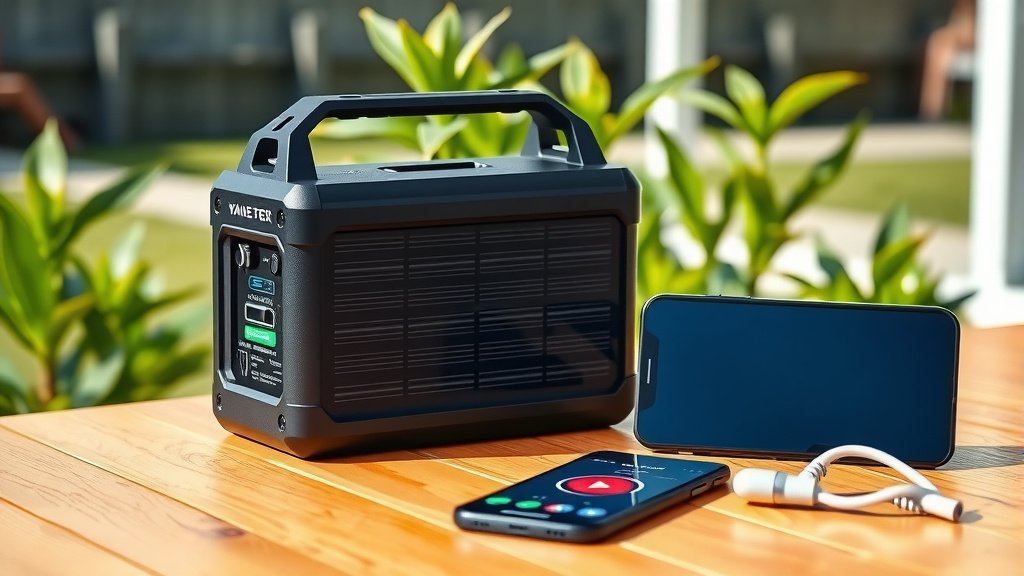
Yes, many modern solar generators can absolutely be controlled by a smartphone app, offering you convenience and real-time monitoring from anywhere.
This allows you to manage settings, check battery levels, and even turn outlets on or off right from your phone, making your solar generator experience much smoother.
- Many contemporary solar generators offer smartphone app control for remote management.
- Apps allow you to monitor battery, power output, and even adjust settings from a distance.
- This technology greatly enhances convenience, especially when your generator is in an outdoor or remote location.
- Always check product specifications as app compatibility varies between different brands and models.
- Smartphone control helps optimize energy usage and provides peace of mind regarding your power supply.
Can Solar Generator Be Controlled By Smartphone App?
Yes, the vast majority of new solar generators come equipped with smartphone app control. This lets you connect to and manage your unit through Bluetooth or Wi-Fi, giving you a powerful tool right in your pocket.
Isn’t it amazing how far technology has come? Imagine being able to adjust your power settings without even getting up. That’s the reality for many users today, and it truly changes how you interact with your portable power source.
Why Remote Control Matters: Convenience at Your Fingertips
Think about a time you had your solar generator tucked away, maybe outside your tent or in a shed. Walking over just to check the battery or switch an outlet can feel like a chore. That’s where remote control through an app shines.
It’s about making your life easier. You gain a level of control and insight that was once only possible by being right next to the machine. This convenience is a big part of why app control has become such a sought-after feature for many users, as we found in our research.
How Smartphone Apps Connect to Your Generator
Your smartphone becomes a command center for your solar generator. Most systems use two main wireless technologies to link up: Bluetooth or Wi-Fi. Each has its own benefits depending on how you plan to use your generator.
Understanding these connections helps you choose the right generator for your needs. Do you need local control or access from afar? Let’s break down the main ways these handy apps communicate with your power source.
Bluetooth vs. Wi-Fi: What’s the Difference?
Bluetooth connections are fantastic for close-range control. If you are within 30-50 feet of your generator, Bluetooth offers a stable and quick connection. It’s perfect for camping or using the generator in your backyard (Consumer Reports).
Wi-Fi, conversely, gives you a much larger range, often connecting through your home network. This means you could be miles away, at work for example, and still check on your generator back home. Wi-Fi is about remote monitoring and management, offering incredible flexibility.
What Can You Really Do with a Solar Generator App?
The functionality of these apps varies by brand, but many offer a robust suite of features. They turn your smartphone into a comprehensive dashboard. It’s like having a mini mission control for your power supply.
- Monitor battery charge level and remaining run-time.
- Check input and output wattage in real-time.
- Turn AC or DC outlets on and off remotely.
- Adjust charging speeds or power modes.
- Receive error codes or maintenance alerts.
Real-Time Data Monitoring
Apps provide a clear, instant picture of your generator’s performance. You can see exactly how much power is going in from your solar panels and how much is being used by your devices. This data helps you manage your energy efficiently.
Many experts say that understanding your power consumption helps you extend battery life and avoid unexpected shutdowns. Having this information readily available on your phone is truly a game-changer (Energy.gov).
Remote Power Management
Ever wish you could turn off an appliance plugged into your generator without walking over? With app control, you often can. This might include switching off AC ports to save power or activating DC outputs for specific devices.
This level of remote control offers peace of mind. You can manage your power sources even when you are not physically present, ensuring you don’t waste precious battery life. We found this to be a highly valued feature by many users.
Firmware Updates and Diagnostics
Just like your smartphone, solar generators sometimes receive software updates to improve performance or add new features. Many apps allow you to perform these firmware updates wirelessly. This keeps your generator running optimally.
The app can also act as a diagnostic tool, providing error codes if something isn’t quite right. This makes troubleshooting much simpler, often helping you resolve minor issues yourself without needing to contact support immediately.
Are All Solar Generators App-Enabled?
Not all solar generators come with smartphone app capabilities. Older models or some budget-friendly options might stick to basic manual controls. It’s always important to check the product specifications before you buy.
However, the trend is definitely leaning towards smart connectivity. As we researched, more and more reputable brands are integrating app control to meet the growing demand for convenience and advanced features. You’ll find it common in mid-range to high-end units.
Choosing an App-Enabled Solar Generator
When you’re looking for a solar generator with app control, consider what truly matters for your usage. It’s not just about having an app, but about having an app that works well for you.
- Check for consistent app reviews on app stores.
- Verify if the app supports both Android and iOS.
- Look for generators with both Bluetooth and Wi-Fi options.
- Ensure the app offers the specific features you need (e.g., remote power shut-off).
- Consider the brand’s reputation for software support and updates.
Top Features to Look for in a Generator App
Beyond basic monitoring, some apps stand out with particularly useful features. These can really make a difference in your day-to-day experience. Think about what would genuinely enhance your interaction with the device.
A great app isn’t just about bells and whistles; it’s about practical tools that help you get the most out of your solar generator. We’ve found that a few key areas truly impact user satisfaction.
User Interface and Ease of Use
An intuitive and clean app interface is incredibly important. If the app is clunky or hard to navigate, you might not use it as much. Look for apps with clear icons, easy-to-read data, and a simple layout for quick access to controls.
Security and Privacy
Since your generator will be connected to your phone and potentially your home network, security matters. Reputable brands will prioritize data protection and secure connections. We often look for generators that provide encrypted communication protocols (NIST guidelines).
Comparing App Features: A Quick Look
Different brands offer different app experiences. Here’s a simplified look at how some features might compare:
| Feature | Basic App Example | Advanced App Example |
|---|---|---|
| Battery Monitoring | State of charge (%). | State of charge (%), estimated run time, cycle count. |
| Output Control | On/Off for AC output. | Individual port control (AC, DC, USB), timers. |
| Input Monitoring | Solar wattage only. | Solar, AC, car charging wattage; historical data. |
| Firmware Updates | Manual download required. | Over-the-air (OTA) updates via app. |
The Future of Solar Generator Apps
The technology is always moving forward. We can expect even more sophisticated features in solar generator apps. Imagine predictive power usage based on weather forecasts, or seamless integration with smart home systems.
Many experts believe that artificial intelligence will play a bigger role, offering smarter energy management and even more personalized control. The goal is to make your portable power experience as intelligent and effortless as possible.
Conclusion
Yes, smartphone app control is a reality for many solar generators today, transforming how you manage your portable power. It brings unparalleled convenience, allowing you to monitor and control your unit from a distance, whether you are across the campsite or across town.
As you consider your next solar generator, definitely keep app compatibility in mind. This feature can truly enhance your experience, making your power setup more efficient and easier to handle. It’s all about putting power management right into your hand.
Can I control multiple solar generators with one app?
Some advanced solar generator apps are designed to manage multiple units from a single interface, especially if they are from the same brand. You would typically register each generator within the app, allowing you to switch between them to monitor status or adjust settings. Always check the specific app’s capabilities.
Do solar generator apps cost money?
No, the smartphone apps for solar generators are generally free to download and use. They come as a complementary feature with the purchase of an app-enabled generator. Any associated costs would be for the generator itself, not the software.
What if my phone loses connection to the solar generator?
If your phone loses connection, the solar generator will usually continue operating based on its last settings. You can still typically control the generator manually using the physical buttons on the unit. The app control simply provides an additional, convenient layer of management.
Are these apps compatible with all smartphones?
Most major brands develop their apps to be compatible with both Android and iOS devices. However, older phone models or operating system versions might sometimes encounter compatibility issues. Always check the app store requirements for the specific generator brand’s app.
Can I share access to my solar generator app with others?
Some solar generator apps offer options to share access with family members or trusted individuals. This usually involves creating guest accounts or providing specific permissions. This feature is particularly useful if multiple people need to monitor or manage the generator. Review the app’s privacy settings and user management options for details.