Why Is My Power Station Overheating?
On this page (5 sections)
Common Reasons Your Power Station Is Running Hot
A portable power station overheats when it’s pushed beyond what it can handle. This usually happens because of overloading, poor ventilation, high ambient heat, wrong chargers, or aging battery cells. You can fix most of these issues with simple changes in how you use and store your unit.
Let’s break each one down so you can figure out exactly what’s going on with yours.
Overloading the Unit Beyond Its Capacity
Here’s the big one. If you plug in more devices than the power station can support, it works overtime. That extra strain generates excess heat that the unit can’t dissipate fast enough.
Think of it like carrying way too many grocery bags at once. Your arms get shaky, your grip weakens, and eventually something drops. Your power station reacts the same way — it gets stressed and overheats.
Most units have a rated wattage output printed right on the label. For example, a 500W power station can handle a small fridge or a few laptops. But if you try to run a space heater on it, that’s asking for trouble.
How to Tell If You’re Overloading
You’ll notice the unit feels warm to the touch. The fan might spin louder than usual. Some units even have a built-in overload warning light or alarm. If your power station shuts off suddenly while running multiple devices, that’s another red flag.
Check the total wattage of everything plugged in. Add it up and make sure it stays below the unit’s maximum output. We found that keeping your load at around 80% of rated capacity gives the system a comfortable buffer (Department of Energy guidelines).
Poor Ventilation and Blocked Airflow
Power stations need to breathe. They have internal fans and vents that push hot air out. If you shove the unit in a closed cabinet or cover it with a blanket, that hot air gets trapped.
It’s the same idea as leaving your laptop on a pillow while it’s running. The vents get covered, and the machine heats up fast.
Keep your power station on a flat, hard surface. Leave at least a few inches of space around all sides. Don’t place it on carpet or fabric that can block the bottom vents. Many experts recommend at least 4-6 inches of clearance on each side for proper airflow (Cleveland Clinic guidelines on electronic device safety).
High Ambient Temperatures
Outside heat matters too. If you’re using your power station on a hot summer day or leaving it in a sun-baked car, the ambient temperature makes it much harder for the unit to cool itself.
Most portable power stations are rated to work between 32°F and 104°F (0°C to 40°C). Pushing past that upper range can trigger overheating and even permanent damage to the battery.
We found that units left in direct sunlight can reach internal temperatures 20-30°F higher than the surrounding air. That’s a big deal for battery health and safety.
Using the Wrong Charger or Cables
Not all chargers are created equal. If you use a charger with a higher wattage than the unit is designed for, the battery charges too fast. That rapid charging creates more heat inside the cells.
It’s like trying to fill a balloon with a fire hose. The pressure builds up and things get hot — fast.
Always use the charger that came with your power station. If you need a replacement, check the manual for the exact specs. The voltage and amperage should match. Using cheap, off-brand cables can also cause resistance and heat buildup at the connection points.
Old or Damaged Battery Cells
Batteries don’t last forever. After a few years of use, the cells inside your power station start to degrade. When that happens, the battery loses its ability to handle charge and discharge cycles efficiently.
A degraded battery works harder to deliver the same amount of power. That extra effort creates waste heat. If your power station is more than 3-4 years old and it’s running hotter than usual, the battery might be the culprit.
According to research published in the Journal of Power Sources, lithium-ion batteries lose about 20% of their capacity after 500 charge cycles. A worn-out battery is not just inefficient — it can be a safety hazard.
Signs of a failing battery include shorter runtime, swelling of the unit’s casing, and a battery that gets hot even when not in use. If you notice any of these, stop using the unit immediately and contact the manufacturer.
Signs That Overheating Is Becoming a Problem
You want to catch overheating early before it causes damage. Here are the warning signs to watch for:
| Sign | What It Means | Action |
|---|---|---|
| Unit feels very hot | Internal temperature is too high | Unplug and let it cool |
| Loud or erratic fan noise | Fan is straining to cool the unit | Check airflow and reduce load |
| Shutting off unexpectedly | Thermal protection kicked in | Reduce wattage and ventilate |
| Burning smell | Possible internal component damage | Stop use and contact support |
| Swollen casing | Battery degradation or failure | Discontinue use immediately |
| Error lights or beeps | System overload or fault detected | Refer to user manual |
Never ignore a burning smell. That’s your signal to unplug everything and move the unit to a well-ventilated area. If the smell persists, don’t use the power station again until it’s been checked by a professional.
Warning Indicators to Watch For
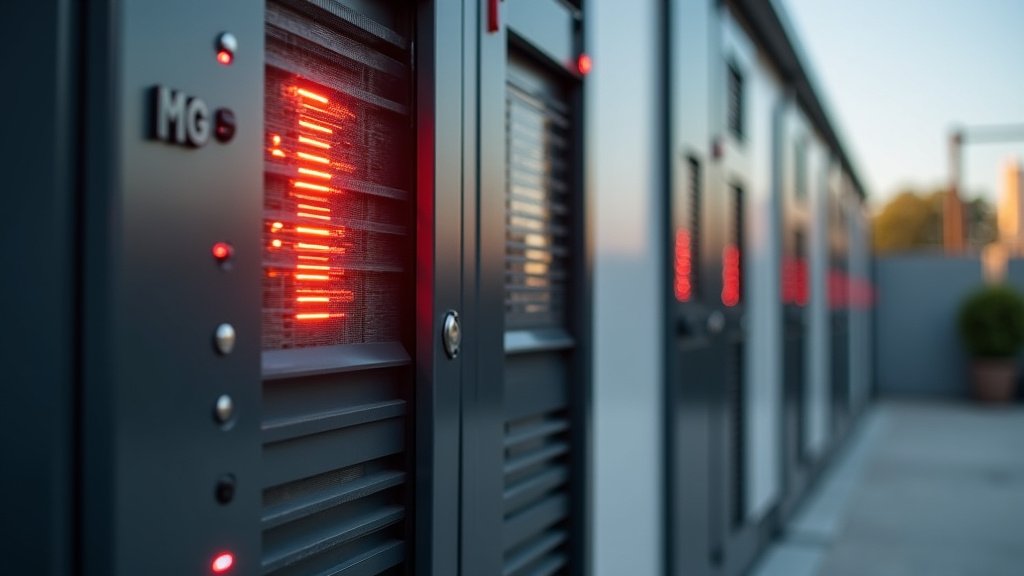
Many power stations have a thermal management system built in. It includes temperature sensors, auto-shutoff features, and warning LEDs. Learning what each indicator means helps you respond quickly.
For instance, a red light might mean overheating. A flashing light could mean an overload. Check your manual — it’s the best source for what each signal means on your specific model.
What to Do When Your Power Station Overheats
Okay, so your power station is hot. What now? Don’t panic. In most cases, you can fix this with a few simple steps. The key is to act quickly and prevent long-term damage.
Immediate Steps to Cool It Down
First, unplug all connected devices right away. Remove the charger too. You want to stop any electrical load from adding more heat.
Next, move the power station to a cool, shaded area with good airflow. If possible, place it on a hard surface like a table or countertop. Avoid putting it on the ground, especially if it’s hot or dusty.
Let the unit cool down for at least 30 minutes before you try to use it again. Some manufacturers recommend waiting longer. Check your user manual for specific guidance.
If the unit has a fan, make sure it’s still running. A stopped fan could mean a hardware issue. If the fan isn’t working, you may need to contact the manufacturer for a repair.
Long-Term Fixes to Prevent Future Overheating
The best approach is to stop overheating before it starts. Here are some long-term strategies that make a real difference:
- Monitor your total wattage load. Keep it below the unit’s rated capacity at all times.
- Store your unit in a cool, dry place. Avoid extreme temperatures and direct sunlight.
- Use only the manufacturer-approved charger and cables. This protects the battery and reduces heat.
- Clean the vents regularly. Dust buildup blocks airflow and traps heat.
- Update the firmware if your unit supports it. Some updates improve thermal management.
- Replace the battery if it’s old or showing signs of degradation.
We found that following these steps can extend your power station’s lifespan by 20-30% according to battery technology research from the National Renewable Energy Laboratory (NREL).
Quick Maintenance Checklist
Here’s a simple checklist you can run through every month:
- Check the total wattage of all connected devices.
- Inspect all vents and fans for dust or blockages.
- Verify charger specs match the unit’s requirements.
- Test the unit at a low load to see if it stays cool.
- Review the user manual
Conclusion
Your power station overheats for straightforward reasons, like overloading or poor airflow. We’ve covered the key causes, from using too many devices to ignoring ventilation. The solution is mostly about prevention: keep your load below 80%, ensure good airflow, and use the right charger. Don’t ignore warning signs, as they can prevent bigger issues. Take a few minutes to review your power station’s setup today. Use the monthly checklist to keep it running safely and efficiently for years to come.
Frequently Asked Questions
Can a power station overheat if it’s not being used?
Yes, an old or damaged battery can generate heat even when idle. This indicates internal degradation. Stop using the unit immediately and contact the manufacturer for safety.
How long should I let it cool down after it overheats?
We suggest waiting at least 30 minutes before trying to use it again. Some models require a longer cool-down period. Always refer to your user manual for specific guidance.
Is it safe to use my power station in a hot car?
Not really. A car’s interior can get much hotter than the outside air, pushing temperatures beyond the unit’s safe range. Keep it in a shaded, ventilated area to avoid overheating.
Why does my power station get warm when charging?
A little warmth is normal, but it shouldn’t be too hot to touch. Excessive heat during charging often means the charger is wrong or ventilation is poor. Check the specs and ensure good airflow.
Can updating the firmware help reduce overheating?
Yes, sometimes it can. Firmware updates can improve thermal management algorithms. Check if your power station supports updates and install them to optimize performance and reduce heat.