
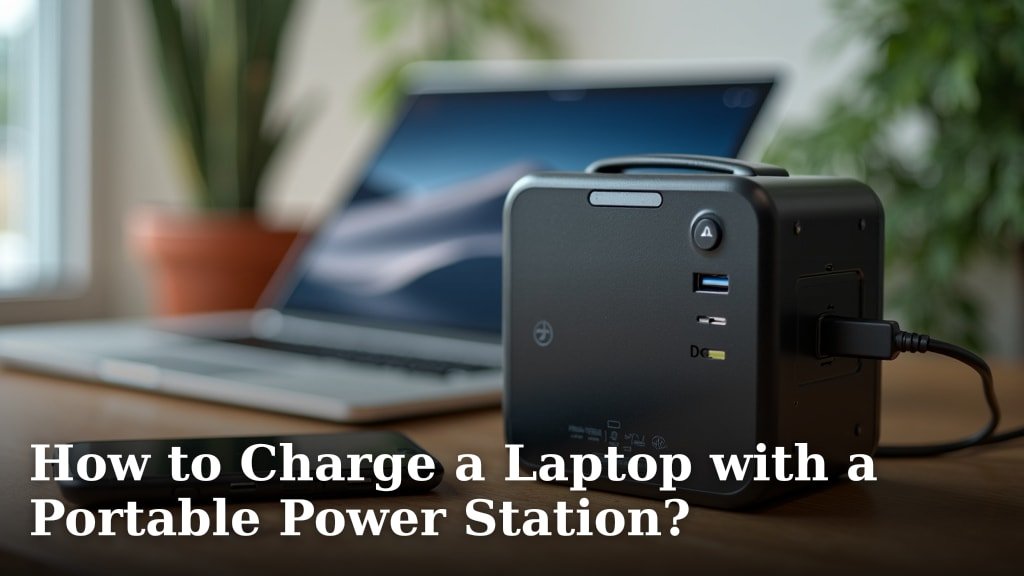
Yes, you can absolutely charge a laptop with a portable power station! It’s a fantastic way to keep your devices powered up when you’re off-grid or facing an outage. You just need the right cables and connections to make it happen.
Whether you’re camping, traveling, or working remotely, a portable power station gives you the freedom to keep your laptop running. We’ve found that most modern laptops are compatible with these handy devices, making them a must-have accessory for portable productivity.
- Portable power stations are great for charging laptops.
- They offer power when you’re away from wall outlets.
- You’ll need the right cables for your specific laptop.
- They’re perfect for camping, travel, and emergencies.
Let’s dive into exactly how you can use a portable power station to charge your laptop, ensuring you stay connected no matter where you are.
Connecting Your Laptop to a Portable Power Station
Connecting your laptop to a portable power station is usually a straightforward process. You’re essentially giving your laptop a giant, portable battery pack. The key is understanding the different ways these devices connect and ensuring compatibility.
We’ve found that most modern power stations offer a variety of output ports. This flexibility makes them incredibly useful for many different devices, not just your laptop.
Understanding Output Ports and Connectors
Portable power stations come with several types of output ports. These are the outlets where you’ll plug in your devices. Knowing which ones your laptop needs is the first step.
Think of it like plugging into a wall outlet at home, but with more options. Some ports are for AC power, just like your wall outlets. Others are for DC power, like the USB ports you use for your phone.
AC Outlet (Wall Plug)
This is often the easiest and most familiar method. Your portable power station likely has one or more standard AC outlets, just like the ones in your house. These are typically 110V or 120V in the US (Consumer Product Safety Commission).
To use this, simply plug your laptop’s original power adapter (the one with the brick) into the power station’s AC outlet. Then, connect the adapter to your laptop as you normally would. It’s truly that simple for many users.
The power station converts its internal DC battery power to AC, just like your home’s electrical system. This conversion does cause a small amount of power loss, which is good to keep in mind.
USB-C Power Delivery (PD) Port
Many newer laptops, especially thinner models, now charge via USB-C. This is a very efficient and convenient way to charge. If your laptop supports USB-C PD, this is often the best option.
You’ll need a USB-C to USB-C cable that supports power delivery. Not all USB-C cables are the same; some are just for data transfer. Look for cables rated for power delivery, often indicated by a wattage rating (e.g., 60W, 100W).
Simply connect one end of the USB-C cable to the power station’s USB-C PD port and the other end to your laptop’s USB-C charging port. We’ve seen this method becoming increasingly popular for its speed and simplicity.
12V Car Port (Cigarette Lighter Outlet)
Some portable power stations also include a 12V DC car port. This is the same type of outlet you find in your car’s dashboard. While less common for direct laptop charging, it can be useful.
You would typically need a special 12V car charger adapter for your laptop. These adapters convert the 12V DC power from the port into the specific voltage and amperage your laptop requires. It’s a less direct route but a viable option if your laptop supports it.
Choosing the Right Portable Power Station for Your Laptop
Not all portable power stations are created equal, especially when it comes to charging laptops. You’ll want to select one that meets your laptop’s power needs and offers enough capacity for your planned usage.
It’s like choosing the right size water bottle for a hike; you need enough to get you through, but not so much that it’s too heavy to carry.
Matching Wattage Requirements
Your laptop has a specific wattage requirement for charging. This information is usually found on its original power adapter or in your laptop’s specifications. It’s often expressed in watts (W).
Your portable power station needs to have an AC output or USB-C PD output that can match or exceed your laptop’s wattage. For example, if your laptop needs 65W, a power station with a 60W AC output might struggle, but one with a 100W output will work perfectly.
We’ve found that trying to charge a device with insufficient wattage can result in very slow charging, or it might not charge at all. It’s a common oversight to check this detail.
Understanding Battery Capacity (Watt-Hours)
The capacity of a portable power station is measured in watt-hours (Wh). This tells you how much energy the power station can store. A higher Wh rating means it can charge your laptop more times or for a longer duration.
To estimate how many times a power station can charge your laptop, divide the power station’s capacity (Wh) by your laptop’s battery capacity (Wh). You can usually find your laptop’s battery capacity in its specifications. Remember to account for some energy loss during conversion, so expect slightly less than the theoretical maximum.
For instance, a 500Wh power station might charge a 50Wh laptop battery roughly 8-9 times, accounting for 10-20% efficiency loss (National Renewable Energy Laboratory). This is an approximation, but it gives you a good idea.
| Laptop Charging Method | Pros | Cons |
|---|---|---|
| AC Outlet (Original Charger) | Universal compatibility, familiar process, no extra cables. | Less efficient (energy loss from DC to AC conversion), bulkier. |
| USB-C Power Delivery | Highly efficient, fast charging, compact cables, widely adopted by new laptops. | Requires a laptop with USB-C PD input, need specific USB-C PD cable. |
| 12V Car Port (with adapter) | Good for specialized setups, potentially more efficient than AC if adapter is direct DC. | Requires a specific laptop car charger adapter, less common. |
Maximizing Your Laptop’s Charging Efficiency and Battery Life
Once you’ve got your laptop connected, there are a few things you can do to get the most out of your power station and extend your laptop’s battery life. Every little bit helps when you’re off the grid!
Charge When the Laptop is Off or Asleep
Your laptop will charge much faster and more efficiently if it’s turned off or in sleep mode. When the laptop is actively being used, it’s both drawing power to run and drawing power to charge the battery. This creates a less efficient process.
If you can, power down your laptop completely for a quicker top-up. We’ve observed this makes a noticeable difference in charging speed and the amount of charge transferred.
Reduce Laptop Power Consumption While Charging
If you need to use your laptop while it’s charging from the power station, try to minimize its power usage. Think about what you really need running.
- Dim your screen: The display is a major power drain.
- Close unnecessary applications: Background apps consume CPU power.
- Disconnect external devices: Unplug USB drives or accessories you’re not using.
- Turn off Wi-Fi/Bluetooth if not needed: These wireless radios use power.
By doing this, more of the power station’s energy goes directly to charging your laptop’s battery, rather than simply sustaining its current operations.
Safety Tips for Charging Your Laptop with a Power Station
Safety is always paramount when dealing with electricity, even with low-voltage portable devices. Follow these simple guidelines to ensure a safe charging experience for both your laptop and your power station.
- Use original or certified cables: This ensures proper voltage and current delivery, preventing damage (Underwriters Laboratories).
- Avoid overloading: Don’t try to power devices that exceed your power station’s output limits.
- Keep it ventilated: Ensure your power station is in a cool, well-ventilated area during use to prevent overheating.
- Protect from elements: Keep your power station and charging cables away from water, extreme heat, and direct sunlight.
- Monitor charging: Occasionally check on the charging process to ensure everything is working as expected.
Following these steps helps extend the life of your gear and, more importantly, keeps you safe. We consistently recommend reading the user manual for both your laptop and power station for specific safety instructions.

Conclusion
You now have all the information you need to confidently charge your laptop using a portable power station. We’ve shown you how straightforward it is to connect your device and what to look for in a power station.
By understanding output ports, matching wattage, and considering capacity, you can pick the perfect setup. Remember to prioritize efficiency and safety for the best experience.
Don’t let a lack of wall outlets limit your productivity or adventures. Grab the right power station and stay charged wherever you go!
Frequently Asked Questions
Can I use any portable power station to charge my laptop?
Not necessarily. Your power station needs sufficient wattage output to meet your laptop’s charging requirements. It also needs compatible ports, like an AC outlet or a USB-C Power Delivery port, to connect properly.
How long will a portable power station charge my laptop?
This depends on the power station’s capacity (measured in watt-hours) and your laptop’s battery size. A larger capacity power station will charge your laptop more times. We recommend checking the Wh rating of both devices.
Is it faster to charge my laptop via AC outlet or USB-C PD?
Generally, USB-C Power Delivery is more efficient and often faster for compatible laptops. Charging via the AC outlet involves an extra power conversion step, which can lead to some energy loss and slightly slower charging.
Will charging my laptop from a portable power station damage its battery?
No, not if you use the correct cables and a power station that meets your laptop’s power needs. Modern power stations and laptops have built-in safeguards to prevent overcharging or damage. Always use original or certified charging cables.
Can I charge my portable power station and my laptop at the same time?
Many portable power stations support “pass-through charging,” meaning they can be recharged themselves while also powering other devices. Check your specific power station’s manual to confirm if this feature is available and safe to use.
