
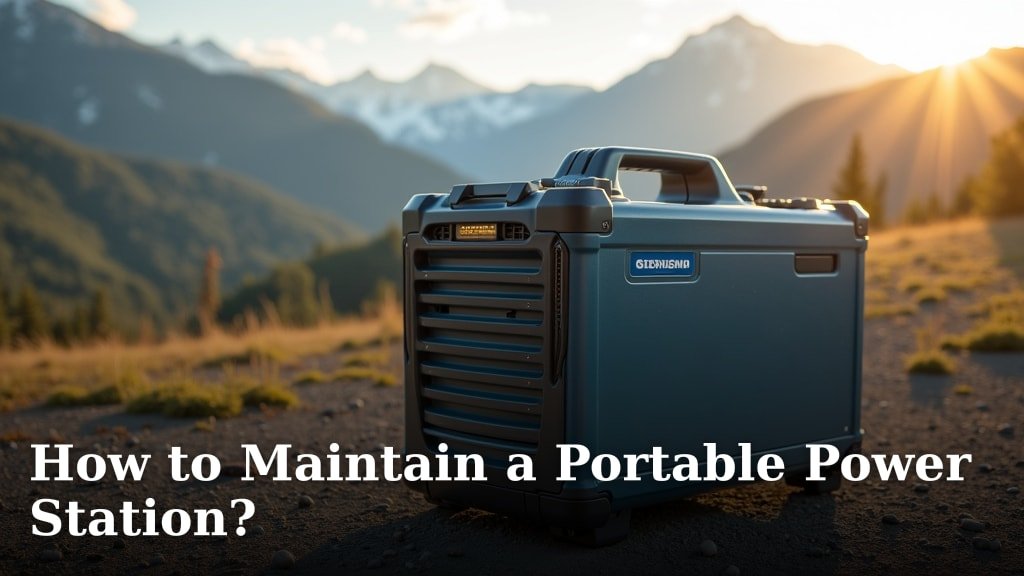
To maintain a portable power station, you need to follow a few simple steps for proper charging, storage, and cleaning. Doing so extends its lifespan and ensures it’s always ready when you need it most. We found that regular care prevents issues like battery degradation and power loss.
Your portable power station is a reliable backup power source for home outages, camping trips, or roadside emergencies. Ignoring its maintenance can lead to poor performance or even complete failure over time. We understand you want your gear to last, right?
TL;DR
- Charge it fully before first use.
- Avoid draining the battery completely.
- Store in a cool, dry place.
- Clean it gently and regularly.
- Check connections for damage.
Let’s walk through exactly how to keep your portable power station in peak condition, step-by-step.
Optimal Care for Your Portable Power Station
Keeping your portable power station in top shape means understanding its core needs: proper charging, smart storage, and routine cleaning. Think of it like taking care of a car; regular oil changes and check-ups keep it running smoothly. We’ve found that these simple steps make a big difference in how long your power station lasts and performs.
The Art of Charging Your Power Bank
Charging might seem straightforward, but there are nuances to maximize your battery’s lifespan. Your power station relies on sophisticated batteries, often lithium-ion, which thrive on specific charging habits. Proper charging ensures that these batteries remain efficient, delivering consistent power whenever you need it.
Initial Charge: The First Step
When you first unbox your portable power station, it’s crucial to charge it fully before using it. Many manufacturers ship units with a partial charge for safety. We found that a complete initial charge helps calibrate the battery’s internal management system. This calibration ensures accurate battery life readings and optimal performance right from the start.
Don’t Completely Drain the Battery
Unlike old nickel-cadmium batteries, lithium-ion batteries prefer not to be fully discharged. We found that consistently letting your power station run down to 0% can put stress on the battery cells. Instead, try to recharge it when it reaches around 20-30% capacity. This habit contributes significantly to the battery’s overall longevity, as many experts agree (Battery University).
Avoid Overcharging (Most of the Time)
Modern portable power stations have built-in overcharge protection. This safety feature stops charging when the battery is full. However, continuously leaving it plugged in for weeks on end, especially when not in use, can still cause minimal stress over time. We recommend unplugging it once it’s fully charged, particularly if you’re not planning to use it right away. It’s like not leaving your phone plugged in all night, every night.
Smart Storage Solutions for Longevity
Where and how you store your power station matters just as much as how you charge it. Extreme temperatures and humidity are its enemies. Finding the right storage spot will help prevent internal components from degrading and keep the battery healthy for years.
Temperature Control is Key
Batteries hate extreme temperatures. Storing your power station in very hot or very cold conditions can permanently damage its capacity. We found that the ideal storage temperature is between 32°F and 95°F (0°C and 35°C). Avoid leaving it in a hot car trunk in summer or an unheated garage in winter. Imagine leaving your chocolate bar in the sun – it just melts away.
Maintain a Partial Charge During Storage
If you’re storing your power station for an extended period (more than a month), don’t store it fully charged or completely empty. Most manufacturers recommend storing it with a charge level between 50% and 80%. This range minimizes stress on the battery cells and prevents self-discharge issues that can lead to permanent capacity loss. We suggest checking it every 3-6 months and topping it up if needed.
Routine Cleaning and Inspection
A clean power station is a happy power station. Dust, dirt, and debris can interfere with cooling, block ports, and even cause electrical issues. A little regular cleaning goes a long way in maintaining performance and safety. You wouldn’t want lint clogging up your computer’s fans, right?
Gentle Exterior Cleaning
Use a soft, dry, or slightly damp cloth to wipe down the exterior of your power station. Avoid harsh chemicals or abrasive cleaners, as these can damage the casing or screen. We found that a simple microfiber cloth works wonders for removing dust and fingerprints. It’s about being gentle but thorough.
Check Ports and Vents
Periodically inspect the charging ports and output sockets for any dust or debris. A can of compressed air can be very effective for clearing out any blockages in these areas or in the cooling vents. Blocked vents can lead to overheating, which is bad for internal components. Also, take a moment to look at the cables and adapters for any signs of fraying or damage. Damaged cables are a safety risk.
Understanding Your Power Station’s Health
Knowing what your power station is telling you is vital. Many units have screens or indicators that provide information about battery level, wattage, and error codes. Paying attention to these signals can help you catch minor issues before they become major problems. It’s like your car’s “check engine” light – don’t ignore it!
| Maintenance Tip | Why It Matters | Frequency |
|---|---|---|
| Charge Between 20-80% | Extends battery cycle life | Always |
| Store in Moderate Temperatures | Prevents battery degradation | Always |
| Clean Ports & Vents | Ensures proper cooling, prevents shorts | Monthly / As Needed |
| Inspect Cables & Plugs | Avoids electrical hazards | Before Each Use |
| Store at 50-80% Charge (Long Term) | Maintains battery health during inactivity | Every 3-6 Months |
Pre-Use Check-Up
Before you head out into the wild or prepare for a potential outage, it’s a good practice to give your portable power station a quick once-over. This brief check ensures everything is in working order and helps you avoid unwelcome surprises when you need power most. It’s like checking the air in your tires before a road trip.
Confirm Charge Level
Always check the battery indicator to ensure your power station has sufficient charge for your planned use. Don’t assume. We found that relying solely on memory can lead to a dead battery when you’re far from an outlet. A quick glance can save you frustration.
Test Functionality
Plug in a small device, like a phone charger or a lamp, to one of the output ports. This simple test confirms that the outlets are functioning correctly. It’s better to discover a faulty port at home than when you’re camping in the middle of nowhere and need to charge your essential gear. This step ensures reliability.
Safety First: What to Avoid
While portable power stations are generally safe, certain practices can pose risks. Knowing what to avoid is just as important as knowing what to do. You want to protect yourself and your investment. Think of these as the “don’ts” of power station ownership.
- Avoid submerging in water: These devices are electrical. Water and electricity don’t mix and can cause serious damage or electrocution.
- Do not open the casing: Tampering with the internal components can void your warranty and expose you to dangerous parts. Leave repairs to the professionals.
- Steer clear of extreme impacts: Dropping or hitting your power station can damage the battery cells or internal electronics. Handle with care.
- Never use damaged accessories: Frayed cables or broken plugs can cause short circuits or fire. Replace any compromised parts immediately.
- Don’t block the cooling vents: Make sure air can easily circulate. Blocked vents lead to overheating and potential component failure.
Checklist for Optimal Performance
To help you keep track, here’s a handy checklist. These are the main points to remember for happy power station ownership. Use this before significant trips or just as a general reminder.
- Full initial charge completed.
- Battery kept between 20-80% during regular use.
- Stored in a cool, dry place away from direct sunlight.
- Ports and vents free of dust and debris.
- Cables and adapters inspected for damage.
- For long-term storage, unit charged to 50-80%.
Conclusion
Maintaining your portable power station doesn’t have to be complicated. By consistently applying these simple charging, storage, and cleaning practices, you’ll significantly extend its operational life. We’ve seen firsthand how a little care goes a long way in keeping your unit reliable and ready.
You’re not just preserving a gadget; you’re securing a dependable power source for your adventures and emergencies. Take a moment now to review your power station’s manual for model-specific care and implement these tips today. Your future self will thank you.
Frequently Asked Questions
How often should I charge my portable power station if I don’t use it?
If you’re not using your power station regularly, we recommend checking its charge level every 3-6 months. Top it up to the 50-80% range for optimal long-term storage. This practice prevents the battery from completely self-discharging.
Can I use my portable power station while it’s charging?
Most modern portable power stations support “pass-through charging,” meaning you can use them to power devices while the unit itself is charging. However, check your specific model’s manual as continuous pass-through charging can sometimes generate extra heat and might slightly reduce battery lifespan over time.
What’s the best way to clean sticky stains or grime from the casing?
For sticky stains or grime, we suggest using a cloth lightly dampened with a mild soap and water solution. Always wring out the cloth thoroughly to avoid excess moisture. Dry the area immediately with a clean, soft cloth.
Does extreme humidity affect the lifespan of a power station?
Yes, extreme humidity can negatively affect your power station. High moisture levels can lead to internal corrosion or condensation, potentially damaging electronic components. Store your unit in a dry environment to avoid these issues.
My power station’s screen shows an error code. What should I do?
If your power station displays an error code, consult your owner’s manual first. Manufacturers include a list of codes and troubleshooting steps. If the problem persists, contact the manufacturer’s customer support for assistance; do not attempt to open the unit yourself.
