Can You Use a Portable Power Station to Charge a Laptop and Phone at Once?
On this page (7 sections)
Yes, you absolutely can charge a laptop and phone at the same time using a portable power station. Most modern power stations have enough outlets and power output to handle multiple devices simultaneously, making them a versatile charging solution for your electronics when you’re away from a wall outlet.
This capability makes portable power stations incredibly useful for camping trips, power outages, or even just working remotely from a coffee shop. You won’t have to choose between a dead phone or an uncharged laptop. Instead, you can keep both of your essential devices powered up and ready to go, a convenience many users highly value.
- Portable power stations can charge multiple devices, including laptops and phones, at once.
- They offer a convenient way to keep your essential electronics powered up anywhere.
- Ensure your power station has sufficient wattage and ports for your needs.
- Check device charging requirements against the power station’s output.
Let’s walk through exactly how you can make this happen and what you need to consider to ensure a smooth charging experience for all your gadgets. Let’s walk through exactly how you can make this happen and what you need to consider for the right portable power station size.
Powering Your Devices Together: Laptops and Phones with a Power Station
You’re probably wondering if your trusty portable power station can handle charging both your laptop and your phone simultaneously. The short answer is a resounding yes! Most modern power stations are designed with this very need in mind. They offer multiple ports and sufficient power output to keep your essential electronics topped up, whether you’re off the grid or just away from an outlet.
Think of your power station as a portable electrical hub. It’s like having a small power strip that you can take anywhere. This means you don’t have to make tough choices about which device gets power first. Your work laptop can stay alive for those important emails, and your phone can remain connected for calls and social media updates, all at the same time. For another device charging question, see our guide to charging drones with a power station.
Understanding Your Power Station’s Capabilities
Before you plug everything in, it’s smart to understand what your power station can do. This is where you look at its specifications. You need to make sure it has the right kind of power and enough juice for both your laptop and your phone. Before you plug everything in, it’s smart to understand what your power station can do and how to choose the right size.
Wattage: The Power Budget
The most important number to check is the wattage. This tells you how much power your station can deliver. Laptops generally use more power than phones. A typical laptop might need anywhere from 45 to 100 watts, while a phone usually needs between 5 to 20 watts. Your power station will have a total output rating, often listed in watts (W) or watt-hours (Wh).
You need to make sure the total wattage required by your devices doesn’t exceed what your power station can provide. If you’re charging a 65W laptop and a 15W phone, you’ll need a power station that can output at least 80W from its charging ports. Many power stations have a continuous output rating and a peak output rating. For charging several devices at once, focus on the continuous output.
Ports: Where the Power Flows
Next, look at the types of ports available. Most power stations come with a variety of outlets to suit different devices:
- AC Outlets: These look like the outlets in your wall. They are perfect for your laptop’s power brick.
- USB-A Ports: These are the standard rectangular USB ports. Your phone’s charging cable likely uses one.
- USB-C Ports: Newer and faster, these can often charge both phones and even some laptops directly.
To charge your laptop and phone at once, you’ll ideally want a power station with at least one AC outlet (for the laptop, unless it charges via USB-C) and at least one USB port (for your phone). Some power stations have multiple USB ports, which is convenient if you have other USB-powered gadgets.
Capacity (Watt-Hours): How Long Will it Last?
While wattage is about how much power is delivered at any moment, watt-hours (Wh) tell you about the total energy stored. This is like the size of your fuel tank. A higher Wh rating means your power station can charge your devices for longer.
For example, a 500Wh power station can theoretically provide 500 watts for one hour, or 100 watts for five hours. To estimate how long it will last, you’ll need to know the Wh consumption of your devices. A 65W laptop charging for 2 hours uses 130Wh (65W * 2h). A 15W phone charging for 4 hours uses 60Wh (15W * 4h). In this scenario, you’d need at least 190Wh of capacity to cover both devices.
Connecting Your Devices: The Practical Steps
Now that you understand the basics, let’s get to plugging things in! It’s generally straightforward, but a few tips can make the process smoother.
Charging Your Laptop
Most laptops can be charged in one of two ways from a power station:
- Via AC Outlet: This is the most common method. You’ll plug your laptop’s original AC adapter into one of the power station’s AC outlets. The power station converts its stored DC power into AC power, just like your home wall outlet.
- Via USB-C PD (Power Delivery): Many modern laptops can be charged through a USB-C port if the port and the charger support USB Power Delivery (PD). Check your laptop’s specifications. If it supports USB-C PD, you can often use a USB-C to USB-C cable to plug directly into a USB-C PD port on the power station. This is often faster and more efficient.
Ensure your power station’s AC outlet wattage is sufficient for your laptop’s adapter. If your laptop adapter says “Output: 20V, 3.25A,” that means it needs about 65W (20 * 3.25 = 65). You’ll want charging a laptop with a station that can consistently supply at least that much power.
Charging Your Phone
Phones are usually simpler to charge. You can typically use either:
- USB-A Port: Plug your standard USB-A charging cable into the power station and then into your phone.
- USB-C Port: If your phone supports USB-C charging, you can use a USB-C cable to plug into a USB-C port on the power station. This can be faster, especially if the USB-C port supports fast charging protocols like Quick Charge or PD.
The power station will automatically regulate the power delivery to your phone, so you don’t usually need to worry about overcharging. It’s like plugging into a wall adapter; the device and the charger communicate to find the right speed.
Simultaneous Charging: The Combo Play
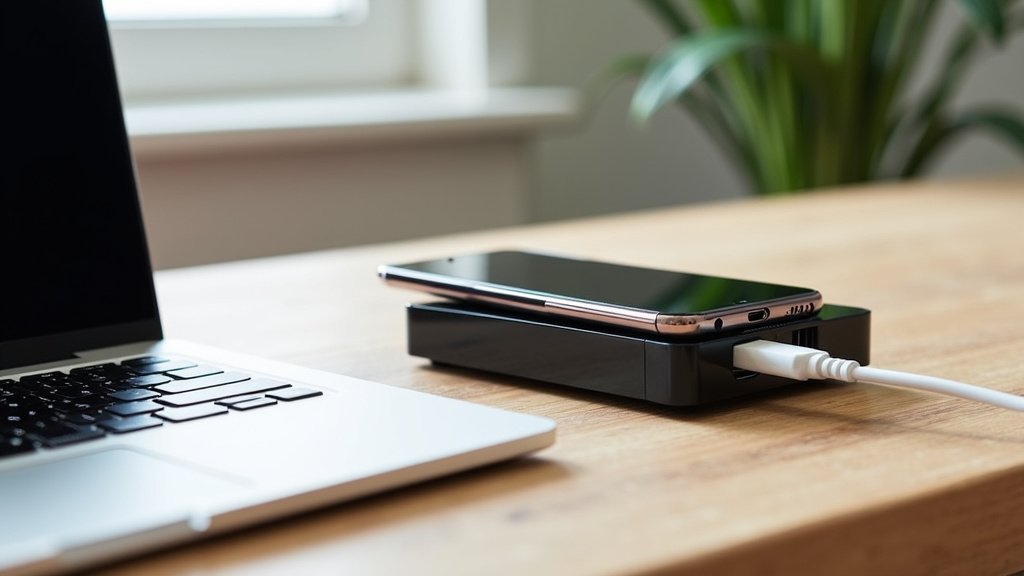
Here’s where the magic happens. You can plug both devices in at the same time. For instance, you could plug your laptop’s AC adapter into an AC outlet and your phone’s USB cable into a USB-A or USB-C port. If both devices support it, you could even charge your laptop via USB-C PD and your phone via another USB-C port.
The key is that your power station can handle the combined load. If your station has a 300W continuous output, and your laptop needs 65W and your phone needs 15W, you’re well within its limits (65W + 15W = 80W, which is much less than 300W). Many experts suggest adding a small buffer, maybe 20%, to ensure stable performance (National Renewable Energy Laboratory).
Potential Hurdles and How to Overcome Them
While it’s generally easy, there are a few things that could trip you up. Being aware of these can save you a headache later.
Insufficient Wattage or Ports
The most common issue is a power station that simply can’t provide enough power. If you try to charge a high-power gaming laptop (which can draw 150W or more) and a phone from a small power station rated for only 100W AC output, it might not work at all, or it could shut down the power station to protect itself.
Solution: Always check the power requirements of your devices against the power station’s output ratings before you buy or attempt to charge. Look for a power station with a higher wattage output than you think you’ll need to be safe. For another device-specific check, see whether a power station can charge an e-bike.
Device Compatibility with USB-C PD
If you’re hoping to charge your laptop directly via USB-C, both your laptop and the power station’s USB-C port must support the USB Power Delivery (PD) standard. Not all USB-C ports are created equal. Some might be for data transfer only, or only support lower power levels.
Solution: Consult the user manuals for both your laptop and your power station. They will specify which ports support PD and what wattage they can deliver or accept. If your laptop needs 90W PD and your power station only offers 60W PD, it might charge very slowly or not at all.
Power Station Overload Protection
Power stations have built-in safety features. If you draw too much power, it will likely shut off. This is a good thing – it prevents damage. However, it can be frustrating if you don’t understand why it happened.
Solution: Understand the difference between continuous and peak wattage. If you have a device that has a high startup surge (like some appliances, though less common for laptops), you might need a station with a higher peak output. For laptops and phones, focus on the continuous output rating.
Choosing the Right Power Station for Your Needs
Selecting the best power station involves a little research, but it’s worth it. Consider these factors to make sure you can charge your laptop and phone (and anything else) with confidence.
Port Variety is Key
Think about all the devices you want to charge. If you primarily use AC adapters for your laptop and USB for your phone, a station with at least one AC and one USB port is essential. If you have newer devices that use USB-C PD, prioritize ports that offer this. Some users find it beneficial to have multiple USB ports for extra devices like smartwatches or e-readers.
Matching Wattage to Devices
Create a quick list of your devices and their power needs. A 13-inch MacBook Air might need 30W, while a larger gaming laptop could need 100W+. Your phone might need 15W to 25W for fast charging. Sum these up and add a buffer. For example, if your devices need a combined 125W, aim for a power station that offers at least 150W continuous AC output.
Capacity for Longevity
How long do you need to keep your devices powered? If you’re going on a weekend camping trip, you’ll need a higher watt-hour (Wh) capacity than if you just need a top-up at a coffee shop. A 200-300Wh unit might be enough for a phone and a laptop for a day or two, while a 500Wh or larger unit is better for extended use or multiple devices.
Portability vs. Power
Larger capacity and higher wattage power stations are often heavier and bulkier. You need to find a balance that works for your intended use. If you’re hiking into a remote campsite, a lighter, smaller unit might be better, even if it means charging less frequently. For car camping or emergency backup, a heavier unit might be perfectly acceptable.
Here’s a quick checklist to ensure you’re ready to charge:
- Verify your power station’s AC and USB port output wattage.
- Check your laptop’s charging requirements (adapter wattage or USB-C PD needs).
- Confirm your phone’s charging needs (USB-A or USB-C, and desired speed).
- Ensure the total wattage needed by your devices is less than the station’s continuous output.
- Confirm the power station’s capacity (Wh) is sufficient for your planned charging duration.
- Use the correct cables for each device and port type.
By considering these points, you can confidently use your portable power station to keep both your laptop and phone charged, no matter where your adventures take you. It’s all about understanding your equipment and your needs.
Conclusion
You’ve learned that using a portable power station to charge your laptop and phone simultaneously is definitely achievable. It all comes down to matching your devices’ power needs with your power station’s wattage and port availability. By checking the specs on both your gadgets and your power station, you can avoid common pitfalls like insufficient power or incompatible ports. This knowledge ensures you can stay connected and powered up wherever you go.
Ready to put this to use? Double-check your power station’s specifications and your laptop’s charging requirements before your next outing or in case of a power outage.
Frequently Asked Questions
Will charging both my laptop and phone drain the power station faster?
Yes, charging multiple devices will deplete the power station’s battery more quickly than charging just one. The total capacity (measured in watt-hours) determines how long it will last. Your power station’s manual usually provides estimates for how many times it can charge specific devices.
Can I use a power bank instead of a portable power station?
Some high-capacity power banks with AC outlets can charge laptops. However, most standard power banks only have USB ports, which are typically not powerful enough to charge a laptop. portable stations for laptops are generally designed with higher wattage AC outlets for this purpose.
What happens if my power station’s wattage is too low for my laptop?
If your power station’s wattage output is lower than your laptop’s requirement, it may not charge at all, or it might charge very slowly. Some power stations may also shut down automatically to prevent overload if the demand exceeds their safe operating limits.
Does the type of cable I use matter when charging from a power station?
Yes, the cable quality and type can matter. For fast charging phones or laptops via USB-C PD, using a cable rated for high wattage and data transfer is important. Using a basic charging cable might limit charging speed or not work for devices with higher power demands.
Can I charge my laptop and phone while the power station itself is being charged?
This feature is called “pass-through charging” and is available on many power stations. It allows you to charge your devices and recharge the power station simultaneously. Always check your power station’s specifications to confirm if it supports pass-through charging.


